Tag: Automation

automation guide shows easy steps to set up tools that do tasks for you at the right time. Get simple guides, setup checklists, quick tips, and fixes for WordPress, email, and daily tasks so you save time, cut mistakes, and keep things running smooth.

  • WhatsApp Automation for Finance: Start Small, Scale Smart

    WhatsApp Automation for Finance: Start Small, Scale Smart

    Neon-outline phone with WhatsApp icon, sliders, and rising finance graphs on dark gradient

    Your customers expect instant answers to basic banking questions. They’re already on WhatsApp. But diving into automation without a clear plan can create compliance headaches and frustrated users.

    Here’s how to start WhatsApp automation in finance the right way.

    What WhatsApp Automation Means for Finance

    WhatsApp automation uses chatbots and workflows to handle customer questions without human agents. Think balance checks, payment confirmations, and account alerts sent directly to the messaging app your customers already use daily.

    The technology connects to your existing systems through APIs. Customers text their questions. The bot pulls data from your core banking platform and responds instantly.

    Why This Matters for Your Institution

    Your call center handles hundreds of routine questions every day. “What’s my balance?” “Did my payment go through?” “When is my next statement?” Each call costs money and ties up agents who could handle complex issues instead.

    WhatsApp automation shifts these simple queries to self-service. Customers get instant answers. Your team focuses on high-value conversations. Response times drop from minutes to seconds.

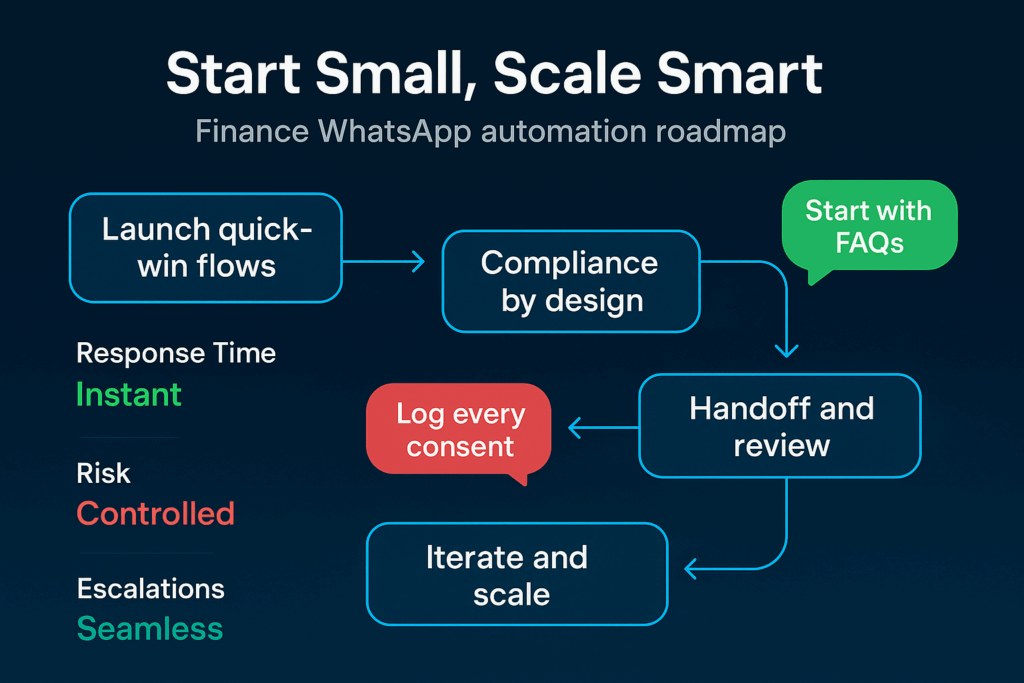
    Roadmap infographic: Start Small, Scale Smart—four-step WhatsApp finance automation flow

    The timing matters too. Customers increasingly expect banking to work like other digital services. Instant. Available 24/7. No phone trees or hold music.

    Regulated institutions face extra pressure. Compliance requirements make every customer interaction critical. But WhatsApp automation can actually improve compliance when built correctly. Every conversation gets logged. Responses stay consistent. No agent goes off-script.
    Your Starting Pattern

    Don’t try to automate everything at once. Pick three simple use cases and nail them first:

    • Balance inquiries: Customer sends account number or authenticates through secure PIN. Bot pulls current balance from core system and responds with formatted message. Exit when customer asks about specific transactions.
    • Payment confirmations: Bot checks recent transactions and confirms if payment processed successfully. Include reference numbers and timestamps. Hand off to human if customer disputes the information.
    • Account alerts: Automate low-balance warnings, payment due dates, and security notifications. Keep messages short and clear. Always include contact info for follow-up questions.

    Start with read-only operations. No money movement. No account changes. Just information retrieval with strong authentication.

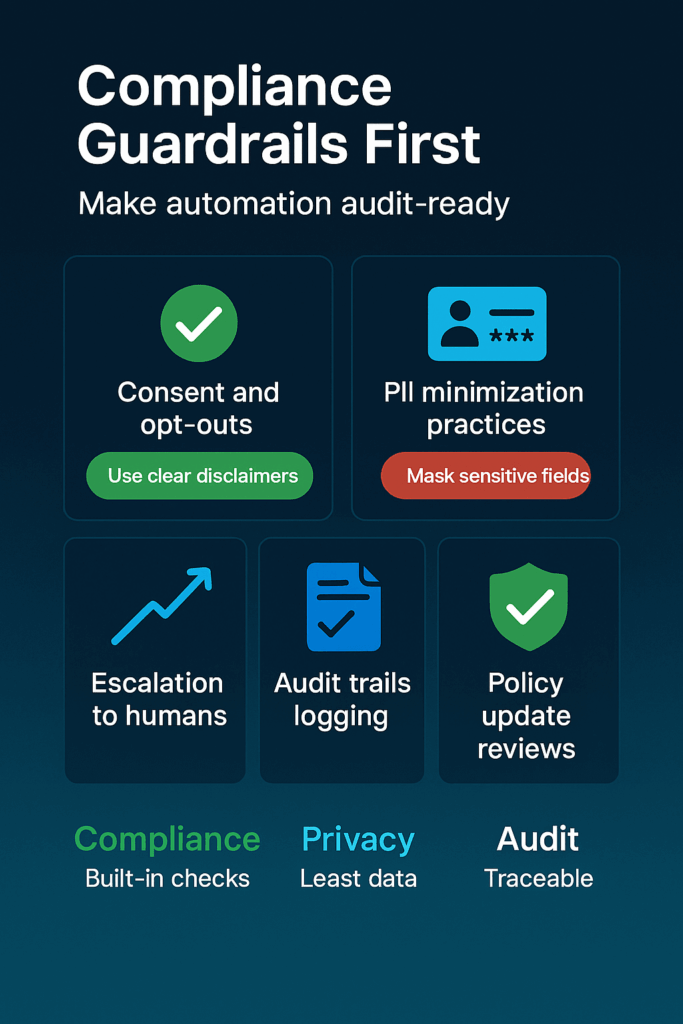
    Infographic: Compliance Guardrails First—grid on consent, PII minimization, logs, reviews

    Signals to Watch

    Track these metrics to know if your automation is working:

    • Resolution rate: Percentage of conversations the bot completes without human handoff. Good automation should handle 70-80% of target use cases.
    • Authentication success: How often customers complete security checks on first try. High failure rates signal confusing flows.
    • Handoff quality: When conversations move to human agents, does the context transfer cleanly? Agents shouldn’t need to ask customers to repeat information.
    • Customer satisfaction: Simple post-chat surveys show if people prefer the automated experience. Watch for complaints about bot responses feeling robotic or unhelpful.
    • Error rates: Monitor failed API calls, timeout issues, and incorrect responses. Even small technical glitches erode trust fast in banking.
    Smartphone amid glowing microchips and circuitry, cyan finance icons on dark gradient

    Essential Safeguards

    Financial automation requires extra protection:

    Data privacy: Encrypt all WhatsApp messages in transit and at rest. Never store sensitive account details in chat logs longer than required for compliance. Map data flows to show regulators exactly what information travels where.

    Authentication strength: Require multi-factor verification for any account access. PIN codes, SMS verification, or biometric checks depending on sensitivity. One-time passwords work well for WhatsApp since customers already receive SMS codes.

    Human oversight: Build clear escalation paths when automation hits limits. Train agents to recognize handoff scenarios. Review bot conversations regularly to catch edge cases your team missed.
    Neon shield with checkmark on dark gradient, green dollar and red risk arrow accents

    Set spending limits too. If someone tries to authorize large transactions through chat, automatically route them to secure channels or branch visits.
    Why Start Now

    WhatsApp Business API access requires approval. The process takes weeks, sometimes months for financial institutions. While you wait, map your current call center data to identify automation opportunities.

    Your competitors are already testing these tools. Early movers will capture customer preference for instant, mobile-first banking. But moving fast without proper safeguards creates bigger risks than moving slowly.

    Neon bars rising left to right on a dark blue gradient, linked by a glowing cyan growth arrow

    The regulatory landscape is also shifting. Digital banking guidelines continue evolving. Starting with simple, compliant use cases now positions you to expand safely as rules clarify.

    Customer expectations won’t wait though. Every day you delay automated support is another day customers experience friction with basic banking tasks. Start planning your WhatsApp automation strategy while building the compliance foundation to scale it right.

    Glowing chat line, chart, and coin icons on a dark teal-blue gradient, evoking smart finance

    Sign up for ZendoWhisper free trial

  • WhatsApp Inbound Automation That Actually Works

    WhatsApp Inbound Automation That Actually Works

    Abstract chat-bubble geometry showing a single smart reply on a dark gradient background

    Your support team types the same answers dozens of times each day. Meanwhile, customers wait for basic info they could get instantly. Starting with WhatsApp inbound automation fixes both problems, but only if you resist the urge to automate everything at once.

    What WhatsApp Inbound Automation Really Means

    WhatsApp inbound automation handles customer messages that come to your business number without human typing. The WhatsApp Business Platform lets you build automated chat flows and can pass conversations to a live person if needed. Think of it as your digital receptionist that never sleeps or takes breaks. For a big-picture intro, see our WhatsApp automation 101.

    It works through quick replies, chatbots, and message templates. When someone asks about your hours, pricing, or return policy, automation gives them an instant answer. Your team only sees chats that need human help.

    Why Your Team Needs This Now

    Your support workload grows faster than your team size. Every repeated answer steals time from complex customer issues that actually need human insight. Customers also expect instant responses on messaging apps like WhatsApp.

    Support team sharing one WhatsApp Business inbox to manage customer chats together

    Automation gives customers what they want while freeing your team for work that matters. The WhatsApp API allows multiple team members to access and manage customer chats from a single business number, so everyone stays in sync. You handle more conversations without hiring more people. Learn more in the WhatsApp Business API.

    The bigger win? Customer satisfaction jumps when people get answers immediately instead of waiting hours for your team to respond. Fast answers build trust. Slow ones damage it.

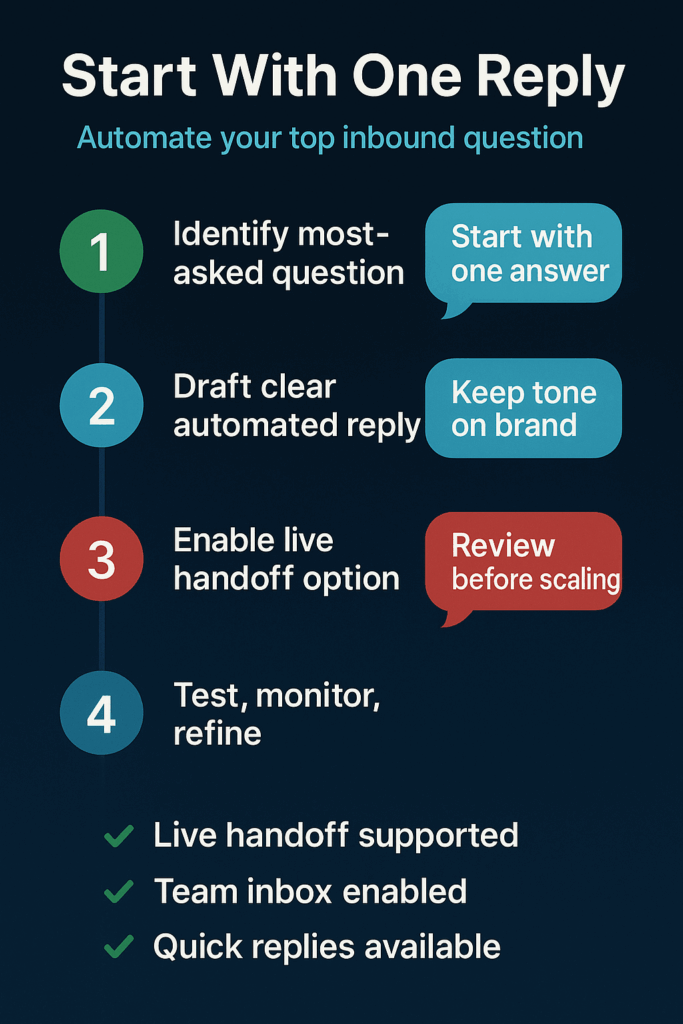
    Infographic—Start With One Reply: 1) Identify most-asked question 2) Draft clear automated reply 3) Enable live handoff 4) Test, monitor, refine

    Start With One Question

    Forget complex chatbot flows. Pick the single question your team answers most often and automate just that response. This approach works because:

    • Identify the biggest time drain: Review past conversations or ask your support team what question they answer most. Usually it’s hours, pricing, shipping times, or return policies.
    • Set up one automated quick reply: Use a WhatsApp Business Platform provider to create an instant response for that specific question. Automation tools for the API include message templates and quick replies to handle common inbound customer questions. Step-by-step help: see our how to automate WhatsApp messages guide.
    • Test and refine the response: Make sure the automated answer fully addresses the question. Include a clear way for customers to reach a human if they need more help.

    This focused approach lets you see real results quickly without overwhelming your team or confusing customers.

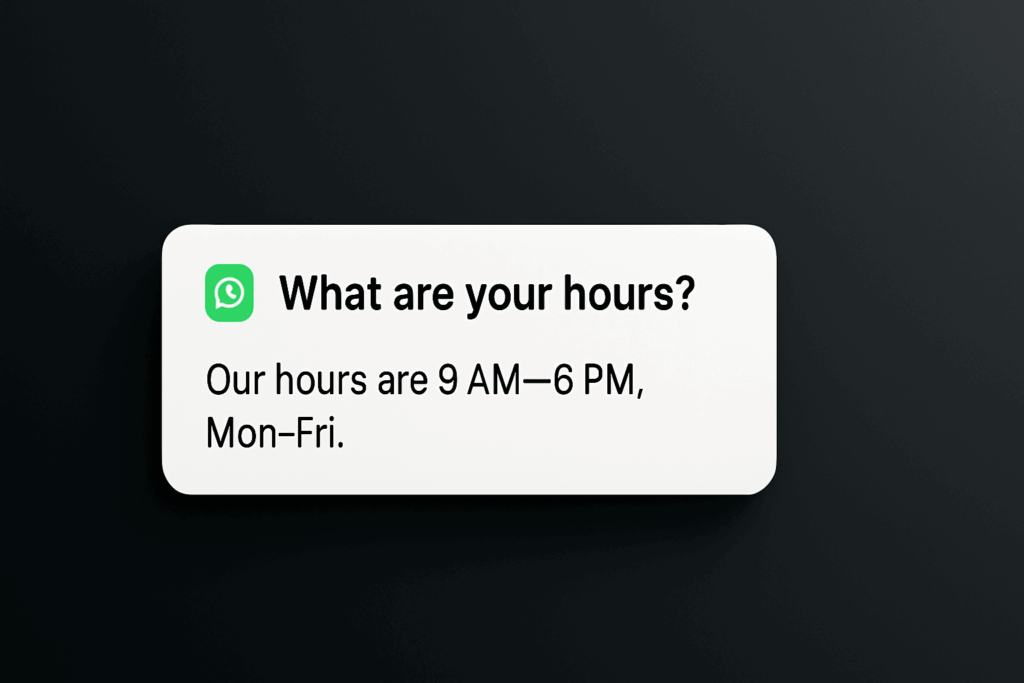
    Highlight card showing one most-asked question mapped to an automated WhatsApp reply

    Watch These Success Signals

    Track these simple metrics to know if your automation works:

    • Response time: How fast customers get their first answer
    • Repeat questions: Whether the same customer asks follow-up questions about the automated topic
    • Team workload: How many fewer repetitive chats your support team handles
    • Customer satisfaction: Feedback scores or complaint levels for automated interactions
    • Handoff rate: How often automated chats transfer to humans

    Good automation reduces repeat questions and team workload while keeping satisfaction high. If customers keep asking follow-ups, your automated answer needs work.

    Infographic: KPIs—response time, repeat questions, team workload, customer satisfaction, and handoff rate

    Keep These Safeguards in Place

    Automation without safeguards creates new problems:

    Always offer human contact: Every automated message should include a clear way to reach your team. Customers hate feeling trapped by bots.

    Follow WhatsApp’s rules: You must get customer permission before sending messages. WhatsApp has strict policies about business communications that you need to follow. Before you launch, review our WhatsApp privacy compliance checklist.

    Review and update responses: Customer needs change. What people ask about most shifts over time. Check your automated answers monthly to keep them accurate and helpful.

    Safeguards: clear human contact, consent and policy compliance, monthly response reviews

    The Time to Start Is Right Now

    Every day you wait, your team answers the same questions while customers wait for basic information. Meanwhile, your competitors might already be giving instant WhatsApp responses.

    Chatbots can be connected to the WhatsApp Business API to deliver instant, automated responses to customers. The technology exists. The only question is whether you’ll use it before your competition does.

    Start small with one automated answer. Your team will thank you for the time back, and your customers will appreciate the instant help. The first automation always teaches you the most about what works for your specific business.

    Square social graphic on dark gradient with rounded chat signals and soft particles, no text or logos

    Sign up for ZendoWhisper free trial

  • WhatsApp Order Tracking Automation That Actually Works

    WhatsApp Order Tracking Automation That Actually Works

    Header banner showing WhatsApp order tracking automation concept — customers receiving order updates directly on WhatsApp.

    Your team spends hours answering “Where is my order?” every single day. Meanwhile, your customers ignore shipping emails but check WhatsApp constantly. There’s one simple automation that fixes both problems and takes an afternoon to set up. If you’re brand-new to this, read the WhatsApp automation 101 first so the rest of this guide clicks.

    What WhatsApp Order Tracking Automation Really Means

    WhatsApp order tracking automation sends order updates directly to your customers’ phones through messages they’ll actually see. Instead of hoping they check email, you meet them where they already spend their time. The WhatsApp Business Platform allows businesses to automate order confirmations, status updates, and delivery notifications through its API.

    This isn’t about fancy chatbots or complex workflows. It’s about replacing those buried shipping emails with messages that pop up on the screen your customers look at dozens of times per day.

    Why Your Support Team Needs This Now

    Every “Where’s my package?” question costs your team 3-5 minutes to look up, respond to, and follow up on. Multiply that by your daily order volume and you’re looking at hours of preventable work.

    Customers ask because they don’t know where to find tracking information. Email confirmations get lost in spam folders or forgotten inboxes. Text messages feel impersonal and often lack clickable tracking links. But WhatsApp hits the sweet spot—personal enough to get attention, rich enough to include tracking links, and instant enough to satisfy anxious customers.

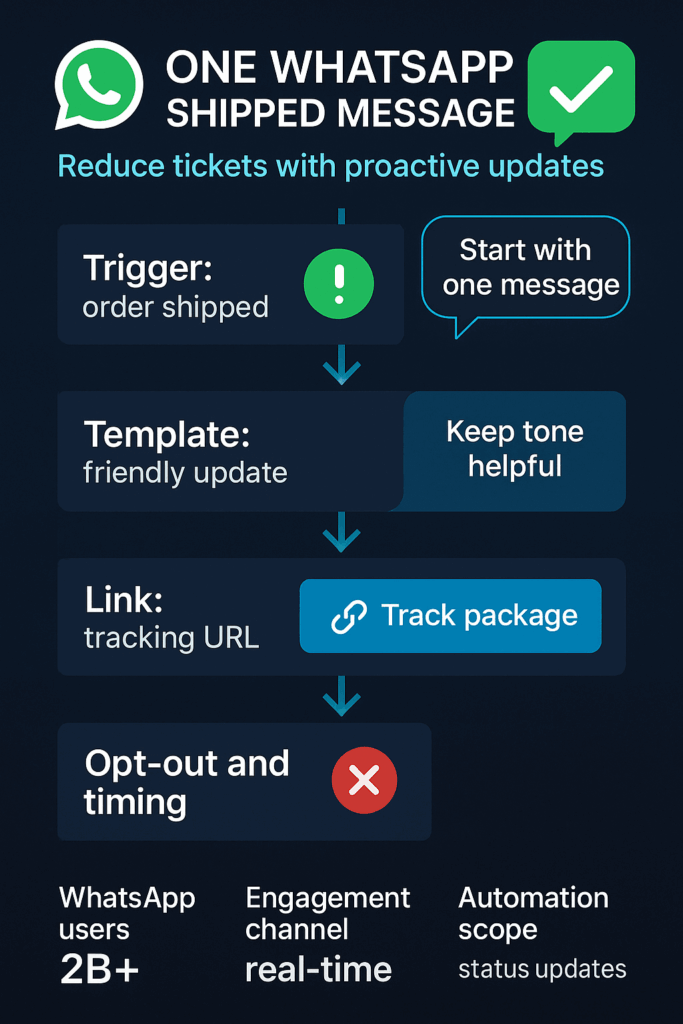
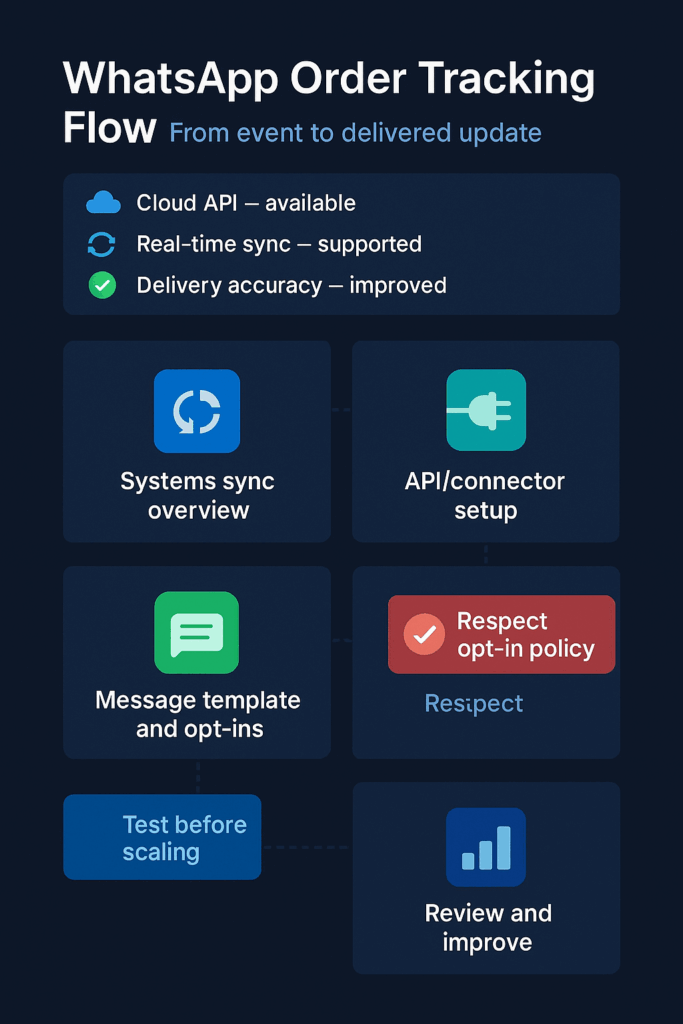
    Infographic illustrating how WhatsApp order tracking automation connects store systems to real-time customer notifications.

    With over 2 billion users globally, WhatsApp is a mission-critical business channel. Your customers are already there, waiting for you to meet them.

    The real win isn’t just fewer support tickets. It’s happier customers who feel informed throughout their buying journey. When someone gets a shipping notification with a working tracking link at 9 PM on their phone, they’re not calling your support line the next morning asking for updates.

    Your Three-Step Starter Pattern

    Don’t try to automate everything at once. Pick one message that delivers the most value with the least complexity:

    • Start with “Order Shipped” notifications only: This single message includes the tracking link customers want most and prevents the majority of “where is my order” questions. Skip order confirmations, processing updates, and delivery confirmations for now.
    • Connect your store data to WhatsApp through an integration: Your tech team or a developer needs to link your order management system to WhatsApp’s business platform (see our step-by-step guide: how to automate WhatsApp messages). This usually takes 2-3 hours of focused work and requires API access to both systems.
    • Test with real orders before going live: Send test shipments to your own phone numbers and verify that tracking links work, timing feels right, and messages display properly on different devices. Fix any issues before your first customer sees a broken experience.
    Diagram showing a three-step WhatsApp order tracking setup — send order shipped message, connect API, and test before launch.

    The goal is proving value with minimal risk. Once this works smoothly, you can expand to other order stages.

    Watch These Key Signals

    Track simple metrics that show whether automation helps or hurts your customer experience:

    • Support ticket volume about order status: Count daily “where is my order” questions before and after launching automation. This should drop noticeably within two weeks.
    • Message delivery and read rates: WhatsApp provides delivery confirmations and read receipts. High delivery rates with low read rates might mean your message timing or content needs adjustment.
    • Customer complaints about notifications: Monitor for customers saying they received too many messages, messages at bad times, or confusing information. This signals you need to refine your approach.
    • Tracking link click-through rates: Most customers should click the tracking link in your message. Low click rates often mean the link is broken, hard to find, or not clearly labeled.
    • Opt-out requests: Some customers will ask to stop receiving WhatsApp notifications. Track this rate to ensure you’re not annoying more people than you’re helping.
    Infographic displaying key performance metrics for WhatsApp order tracking such as delivery accuracy, read rates, and opt-outs.

    These signals tell you whether customers find your automation helpful or intrusive.

    Essential Safeguards to Remember

    WhatsApp automation requires more care than email because messages feel more personal and intrusive:

    Illustration of WhatsApp order tracking safeguards including opt-in consent, accuracy checks, and message cost management.

    The Right Time Is Right Now

    Your customers already expect instant, mobile-friendly communication. Every day you wait is another day your support team answers preventable questions while competitors gain ground with better customer experience.

    The technical complexity isn’t going away, but the tools keep getting easier. WhatsApp offers businesses a channel for real-time, low-friction engagement with customers, and your competitors are figuring this out too.

    Start small, test carefully, and focus on that one shipped order message that cuts support tickets while keeping customers happy. Once order tracking runs smoothly, level up to a WhatsApp chatbot for FAQs and support automation.

    Social media preview card promoting WhatsApp order tracking automation with a clear call to start small and test updates.

    Sign up for ZendoWhisper free trial

  • How to Automate WhatsApp Messages for Your Small Business

    How to Automate WhatsApp Messages for Your Small Business

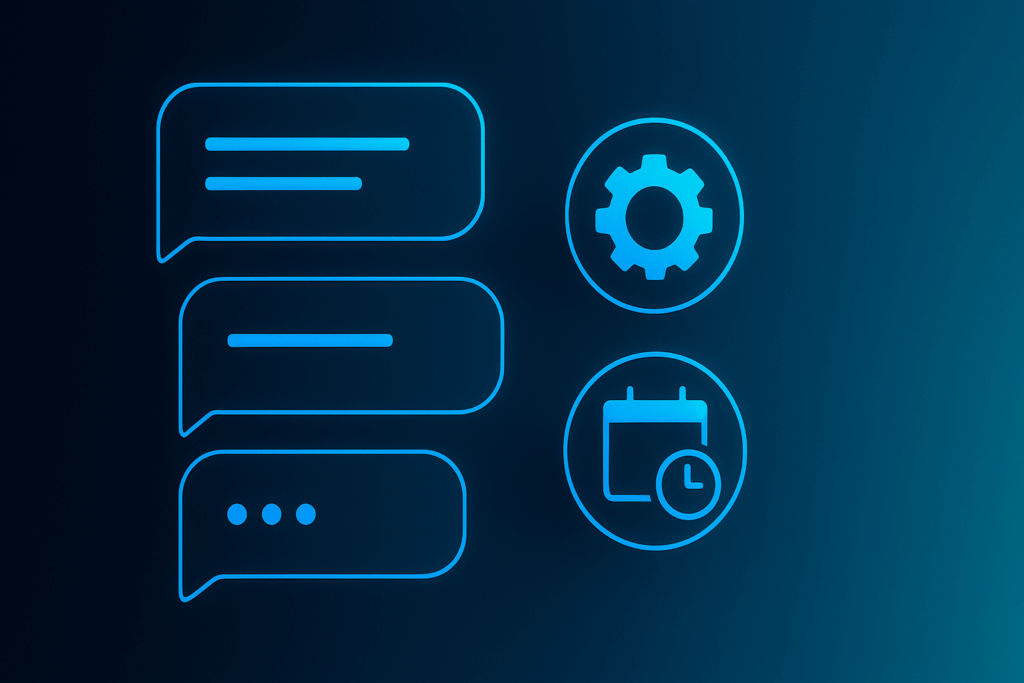
    How to automate WhatsApp messages for small business — chat bubbles, automation gear, and scheduling calendar

    Your phone buzzes at 11 PM. Another customer question. You want to help, but you also need sleep. Simple WhatsApp automation can handle this for you. One small setup step can make your business look professional around the clock.

    What WhatsApp Automation Actually Means

    WhatsApp automation sends messages without you typing each one. Think of it like an email auto-reply, but for chat messages. The WhatsApp Business App is a free mobile app that helps small businesses manage customer conversations, according to Shopify. It lets you set up simple automated greeting and away messages. If you’re brand new to this, start with our primer, WhatsApp Automation 101.

    Customer messaging flow: email to chat handoff with person icon—illustrates WhatsApp automation routing

    Why This Matters for Your Business

    Customers expect quick responses. When they don’t get them, they often move to your competitors. But you can’t be glued to your phone 24/7. That creates a problem.

    Automated messages solve this gap. They tell customers you received their message and when to expect a real response. This manages expectations instead of leaving people wondering if you saw their question.

    For small business owners, this means fewer missed opportunities. For e-commerce sellers, it prevents cart abandonment from unanswered questions. Support teams can focus on complex issues instead of typing “We’ll get back to you” dozens of times.

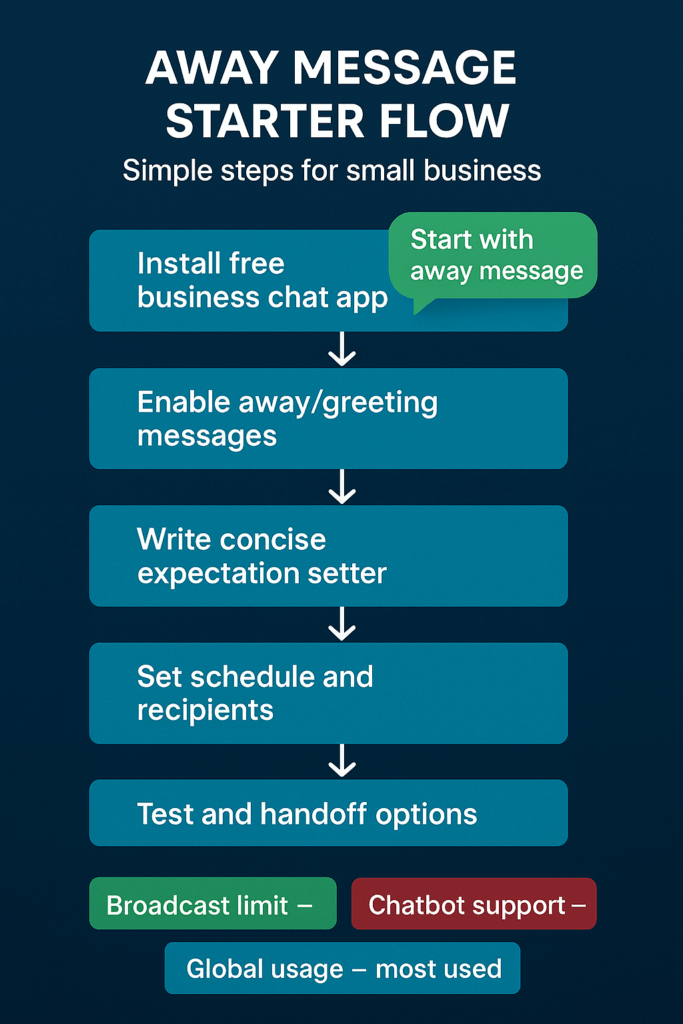
    Infographic: simple steps to automate WhatsApp messages — install app, enable away, set schedule, test, note limits

    According to Statista, WhatsApp is the most used messaging app in the world, as noted by Brevo. Your customers are already there. Meeting them with professional automated responses shows you take their time seriously.

    How to Start Simple

    You don’t need expensive software or technical skills. Here’s how to approach your first automation:

    • Download and set up the free WhatsApp Business App. Create your business profile with your logo, address, and hours. This makes you look legitimate when customers find you. Your marketing lead should own this setup.
    • Write your first away message. Go to “Business tools” in the app settings. Write a message that tells customers when you’ll respond. Something like: “Thanks for reaching out! We’ll reply within 2 hours during business hours (9 AM – 6 PM).” Test it by having someone message you after hours.
    • Track what you can’t do with the free version. Use it for one week. Note any limitations that hurt your business. Maybe you want to send promotions to your whole customer list, or connect messages to your sales software. This list tells you when to upgrade.
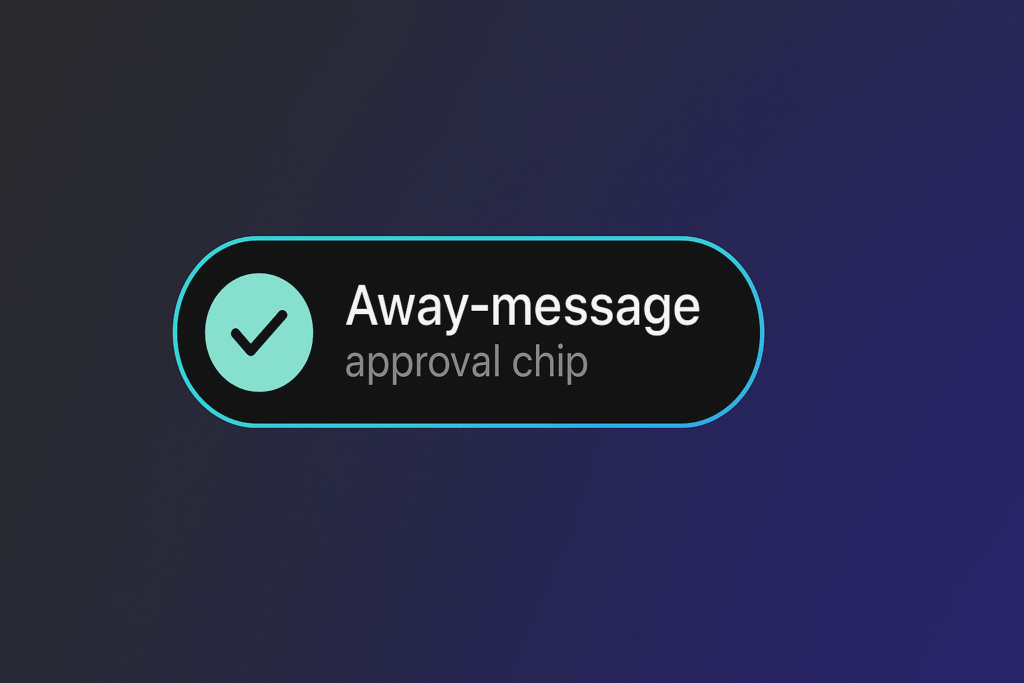
    Away-message approval chip — example UI for how to automate WhatsApp messages with a simple auto-reply

    Watch These Signals

    Pay attention to these metrics to see if your automation is working:

    • Response time expectations. Are customers still complaining about slow replies? Your away message might need clearer timing.
    • Message volume after hours. If you get lots of questions outside business hours, automation becomes more valuable.
    • Repeat questions. Do customers ask the same things over and over? Those are perfect for automated answers.
    • Staff time spent on basic replies. How much time does your team spend typing “We received your message”? Automation can reclaim those minutes.
    • Customer satisfaction with response speed. Are people happy with how fast you get back to them? Automation can improve this score.
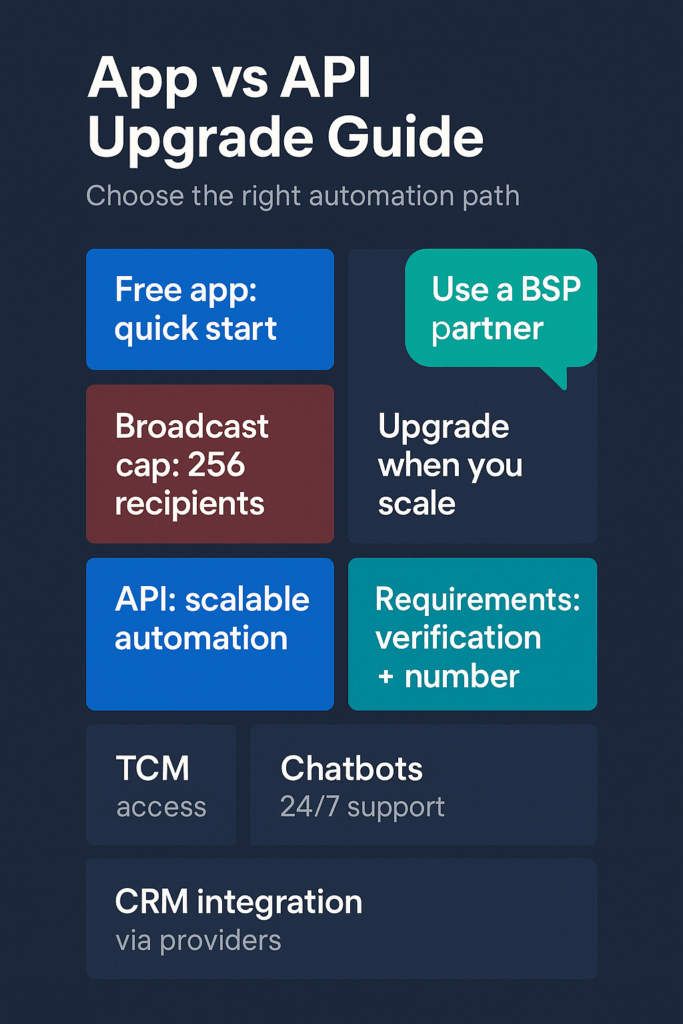
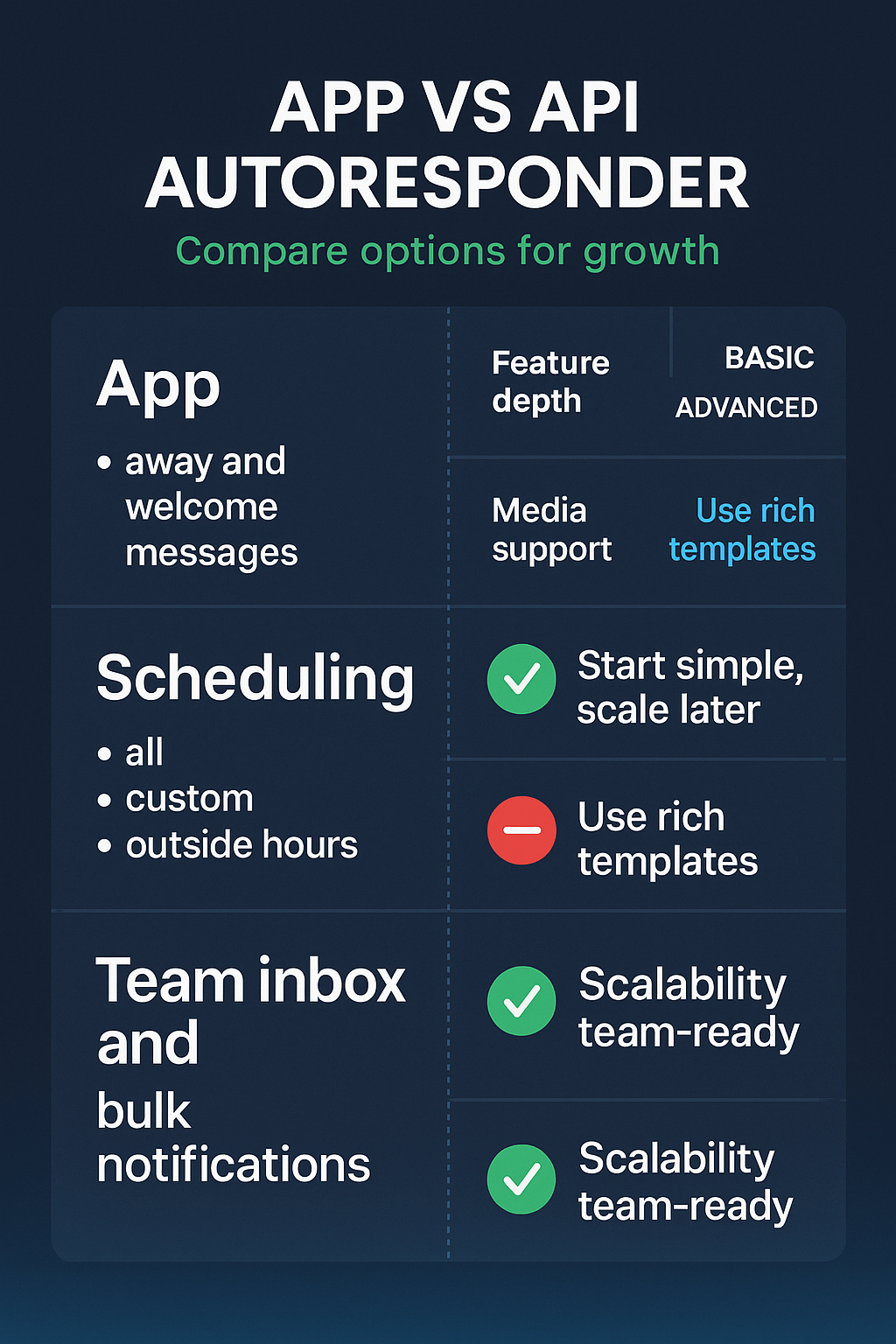
    Infographic: WhatsApp Business app vs API — broadcast cap 256, chatbots, CRM integration, upgrade when you scale

    Important Safeguards

    Keep these protections in mind:

    • Get permission before promotional messages. You must get your customers’ permission before sending them promotional messages on WhatsApp to follow the platform’s rules. Don’t assume they want marketing just because they bought from you.
    • Keep messages helpful, not pushy. Automated replies should solve problems or set expectations. Avoid sales pitches in your away messages.
    • Review and update regularly. Check your automated messages monthly. Update business hours, response times, or contact info as needed.
    Security shield with lock — consent, compliance and safety for WhatsApp automation messages

    Know Your Growth Path

    The free WhatsApp Business App has limits. It works for one user on one phone and has a broadcast limit of 256 users, plus it does not support chatbot or CRM integration, according to aisensy.com. When you hit these walls, you’ll need the WhatsApp Business API. For a quick refresher on the basics and when to upgrade, see WhatsApp Automation 101.

    The API is designed for mid-sized and large businesses to automate support, notifications, and marketing at scale, according to linkmobility.com. It allows multiple staff members to log in and use chatbots that can provide 24/7 instant support, as noted by engagelab.com.

    But start simple. Most small businesses can run for months on just the free app’s basic automation.

    Why This Can’t Wait

    Every day without automation, you’re losing potential customers to businesses that respond faster. Your competitors might already be using automated replies to look more professional and available.

    The setup takes less time than you think. Your first away message can be running in five minutes. That small step immediately makes your business look more organized and customer-focused.

    Start with the free WhatsApp Business App today. Set up one automated message. See how it changes your customer interactions. You can always build from there.

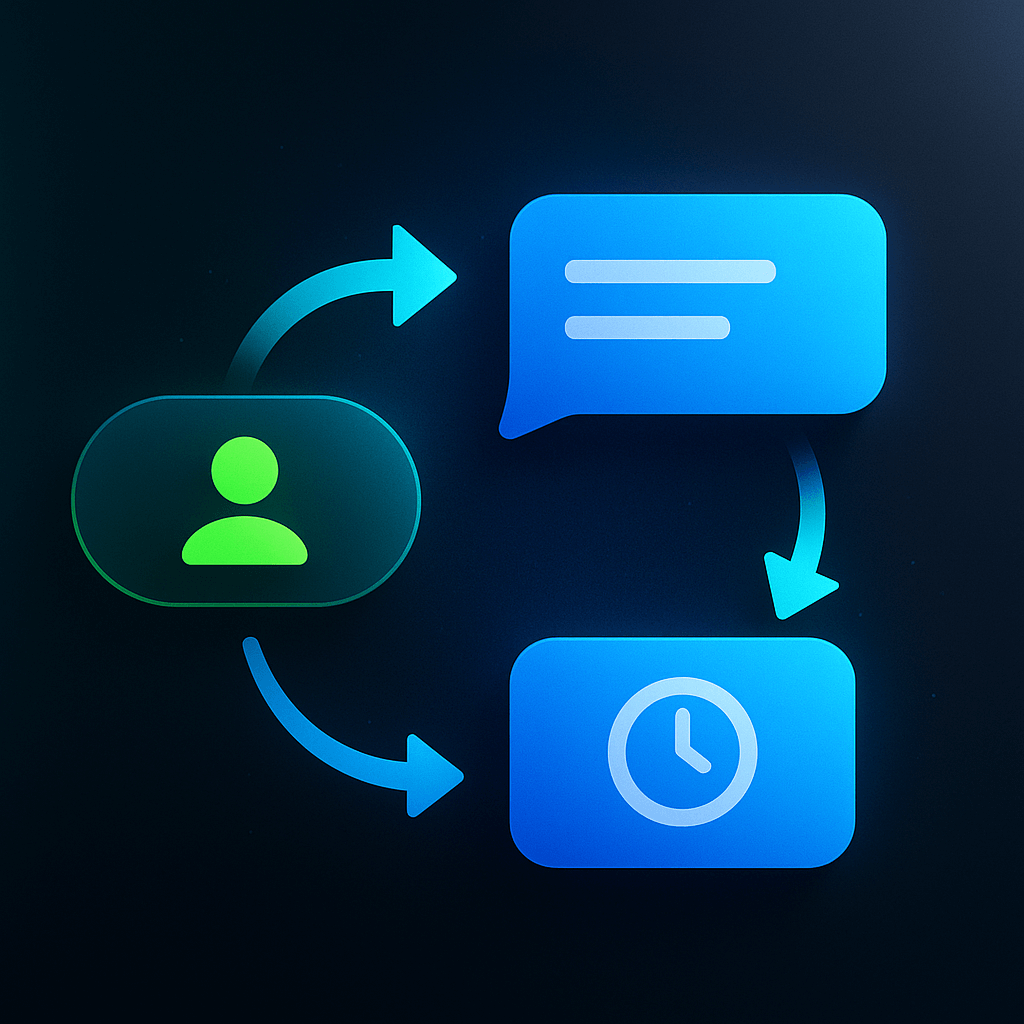
    How to automate WhatsApp messages — person, chat bubble and clock in a continuous automation loop

    Sign up for ZendoWhisper free trial

  • WhatsApp Autoresponder Setup for Small Business Owners

    WhatsApp Autoresponder Setup for Small Business Owners

    Your customers message you at midnight. They text during lunch rush. They reach out on weekends when you’re closed. Without a way to respond instantly, they might think you don’t care or aren’t professional.

    A WhatsApp autoresponder solves this problem. It replies to customers right away, even when you can’t pick up your phone.

    If you’re brand-new to automation, start with our quick primer: WhatsApp Automation 101.

    What Is a WhatsApp Autoresponder?

    A WhatsApp autoresponder is a feature that sends automatic messages to customers who contact your business. Think of it like an answering machine for text messages. When someone writes to you, they get an instant reply explaining when you’ll respond personally.

    Why Your Business Needs This Right Now

    Customers expect quick responses. When they don’t hear back fast, they often move to your competitors. An autoresponder keeps them informed and shows you’re organized.

    For small business owners, this means fewer missed opportunities. Your e-commerce store can acknowledge orders instantly. Your restaurant can confirm reservations right away. Your service business can let clients know their message was received.

    The free WhatsApp Business app includes built-in autoresponder features. You don’t need expensive software or technical skills to get started. These basic auto-replies work perfectly for most small businesses. For a broader strategy beyond the basics, see WhatsApp Automation 101.

    Support teams save time because customers get immediate information. Marketing teams can use autoresponders to guide customers toward specific actions. Everyone wins when expectations are clear from the first message.

    How to Start With Basic Autoresponders

    Here’s your simple approach to WhatsApp autoresponders:

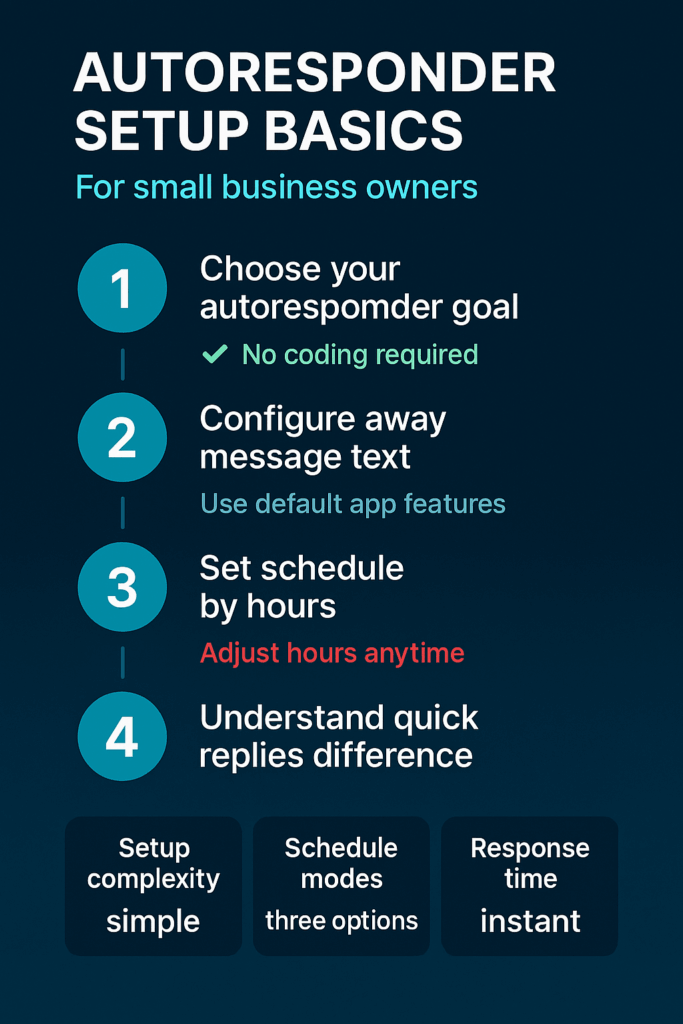
    • Set up an away message first. Download the WhatsApp Business app and create an automatic reply for when you’re closed. Write something friendly like “Thanks for reaching out! We’re currently closed but will respond within 2 hours during business hours.” This covers nights, weekends, and busy periods.
    • Add a welcome message for new customers. Create a greeting that introduces your business and sets response expectations. Keep it warm but professional. New contacts will see this automatically when they first message you.
    • Create quick replies for common questions. Identify your top three most frequent customer questions. Save the answers as shortcuts in the app. Your team can then send these responses with just a few taps.

    For templates you can copy-paste and a step-by-step walkthrough, check WhatsApp Automation 101.

    Simple visual steps for setting away messages, welcome messages, and quick replies in WhatsApp Business

    Watch These Key Signals

    Your autoresponder is working well when you notice these changes:

    • Fewer repeat messages asking “Are you there?” Customers stop sending multiple messages because they know you received theirs.
    • Less stress during busy periods. You can focus on current customers without worrying about new messages piling up.
    • More organized conversations. Customers understand your response times and plan accordingly.
    • Better team coordination. Everyone knows what automatic messages customers receive, so personal responses can build on that information.
    • Improved customer feedback. People appreciate knowing when to expect replies, even if it’s not instant.
    Infographic showing benefits and KPIs of WhatsApp autoresponders for teams

    Important Safeguards to Remember

    Keep these protections in mind as you set up autoresponders:

    Sound human, not robotic. Write messages that match your business personality. Avoid phrases like “Your message has been received” or “Thank you for contacting us.” Instead, try “Hi there! Got your message and we’ll get back to you soon.”

    Be realistic about response times. Don’t promise to reply in 30 minutes if you actually need 2 hours. It’s better to under-promise and over-deliver than frustrate customers with unmet expectations.

    Stick to official WhatsApp features. The WhatsApp Business app provides secure, reliable autoresponder options. Avoid unofficial third-party tools that might violate WhatsApp’s terms or compromise your data.

    Want the bigger picture of when to automate vs keep it manual? See WhatsApp Automation 101.

    Checklist highlighting best practices and safeguards for automated WhatsApp replies

    Why You Should Act Soon

    Every day without an autoresponder means missed opportunities to impress customers. Your competitors might already be using this simple tool to look more professional and responsive.

    The setup takes less than 30 minutes total. You can test everything by messaging your own business number after hours. Once it’s working, you’ll wonder why you waited so long.

    Customers notice businesses that respond quickly and professionally. An autoresponder is your first step toward better customer service without hiring more staff or working longer hours.

    Graphic encouraging readers to set up WhatsApp autoresponders for better customer communication

    Start with the free WhatsApp Business app today. Set up a simple away message that explains your response times. Your customers will appreciate the clarity, and you’ll feel more in control of your communications.

    Sign up for ZendoWhisper free trial