Tag: WhatsApp Business

WhatsApp Business helps small shops talk to customers, send updates, and answer questions fast. In this tag, you will find easy guides, setup tips, message ideas, broadcast examples, labels, catalogs, quick replies, and safety notes to grow sales, save time, and give better service.

  • WhatsApp Cross-Channel Marketing for Small Businesses

    WhatsApp Cross-Channel Marketing for Small Businesses

    Your leads jump between email, SMS, and WhatsApp. But your marketing treats each channel like a separate business. This scattered approach loses sales and confuses customers who expect consistent experiences.

    The fix is simpler than you think: connect WhatsApp to your existing workflows.

    What Cross-Channel WhatsApp Marketing Means

    Cross-channel WhatsApp marketing links your messaging app to email and SMS campaigns. Instead of running three separate conversations, you create one unified customer journey. When someone opts into your email list, they can also join your WhatsApp updates. When they abandon a cart via email, you can follow up through WhatsApp.

    If you’re still figuring out how to get high-quality WhatsApp subscribers, start with our guide to WhatsApp opt-in strategies.

    Integrating WhatsApp into existing email and SMS strategies creates a cohesive customer experience that drives better results.

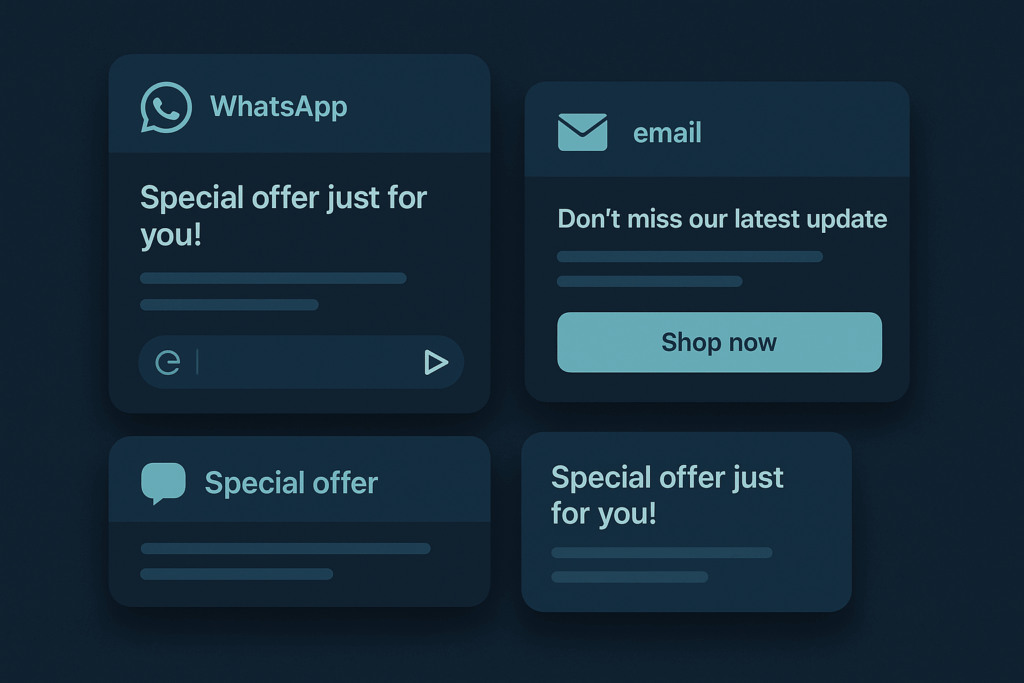
    Layered message cards in synchronized grid layout

    Why This Matters for Growing Teams

    Your customers already use multiple apps daily. From WhatsApp nudges to email campaigns and push notifications, marketers are juggling multiple communication touchpoints. When your marketing stays siloed, you miss opportunities and waste ad spend.

    Think about a lead who signs up for your newsletter but never opens emails. Without cross-channel connection, that person disappears from your funnel. With WhatsApp integration, you can reach them through their preferred app and recover the relationship.

    Small teams especially benefit because you can automate handoffs between channels. Your email welcome series can invite people to WhatsApp for faster support. Your WhatsApp messages can direct people to detailed email content. Each channel reinforces the others instead of competing.

    If you’re a new or early-stage company, you can go deeper with our full playbook on WhatsApp marketing strategies for startups.

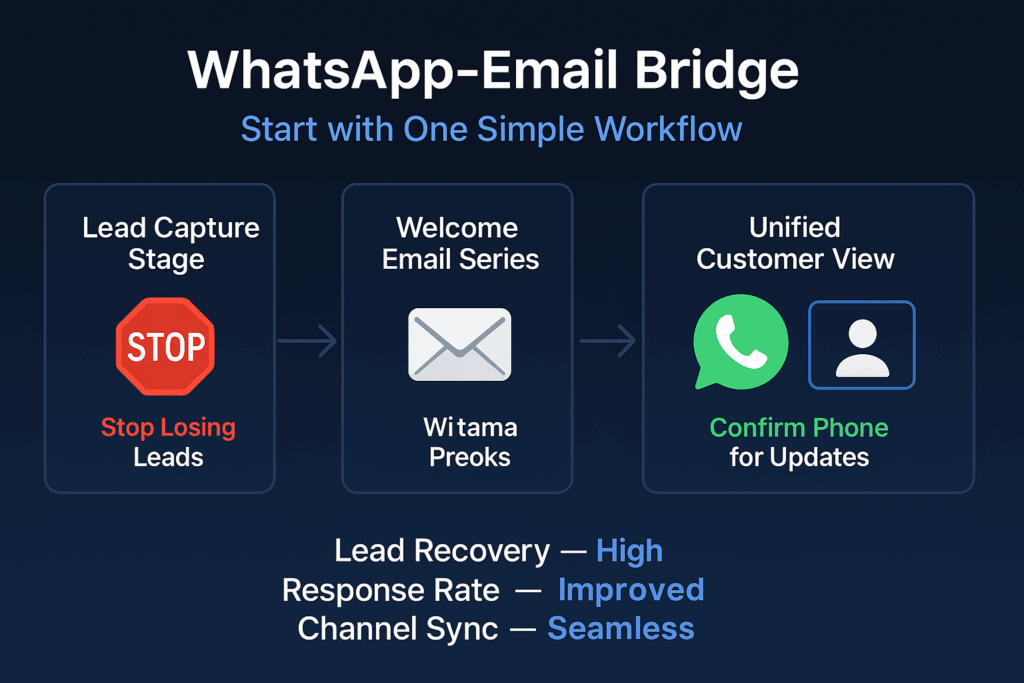
    Infographic showing four-step WhatsApp-email workflow: lead capture, welcome email, WhatsApp confirmation, unified customer view

    Simple Ways to Start Connecting Channels

    Link WhatsApp to your email welcome flow: Your marketing manager connects WhatsApp Business API to your existing CRM or email platform. This usually takes 1-2 weeks with basic technical help. The goal is sending your first unified message across email and WhatsApp with the same offer or content.

    Create message templates for your top lead scenarios: Your growth team writes 3-5 WhatsApp message templates that mirror your best-performing emails. Submit these through WhatsApp Business API and wait for approval. You’ll know this works when templates start generating replies from new leads who came through other channels.

    Once those templates perform well, turn your best segments into targeted lists. You can follow our step-by-step guide to WhatsApp broadcast list creation to structure those audiences properly.

    Test multimedia content against your current approach: Your content team designs product images or carousels for WhatsApp, then runs a simple A/B test for one week. Compare engagement rates between these rich messages and your standard text-only approach. Success means seeing higher engagement with visual content.

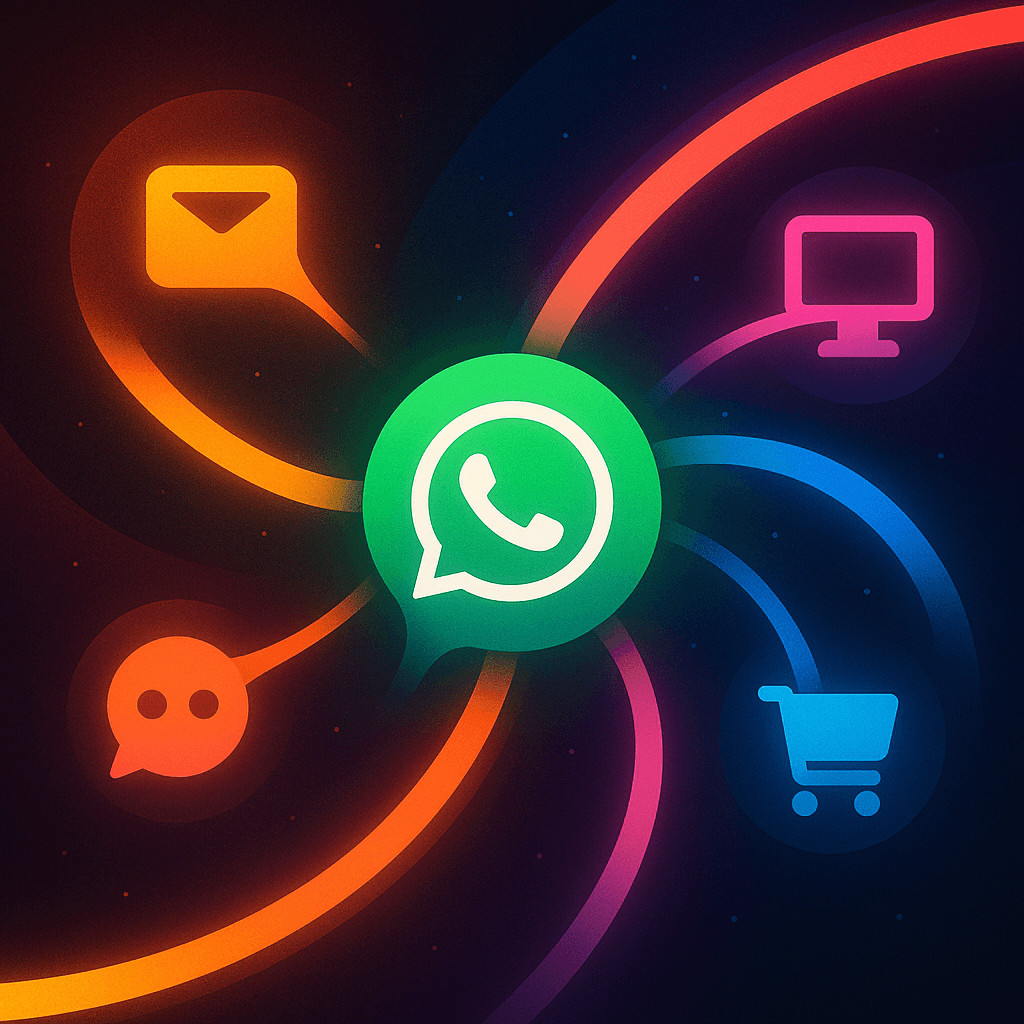
    Central hub with radiating channel connections

    Signals That Show Your Integration Is Working

    Watch these metrics to track progress:

    Cross-channel conversation rates: How many people who start on email continue the conversation on WhatsApp, or vice versa. Rising numbers mean your handoffs feel natural.

    Message template approval and usage: How quickly WhatsApp approves your templates and how often leads respond to them. Faster approvals and more replies indicate you’re following platform best practices.

    Customer journey completion: How many leads move through your full funnel when they use multiple channels versus just one. Higher completion rates prove integration value.

    Support ticket reduction: How often customers ask the same questions across different channels. Fewer duplicate inquiries mean your messaging is more consistent.

    Opt-in quality: How many people who join through cross-channel campaigns stay engaged versus single-channel signups. Better retention shows you’re attracting the right audience.

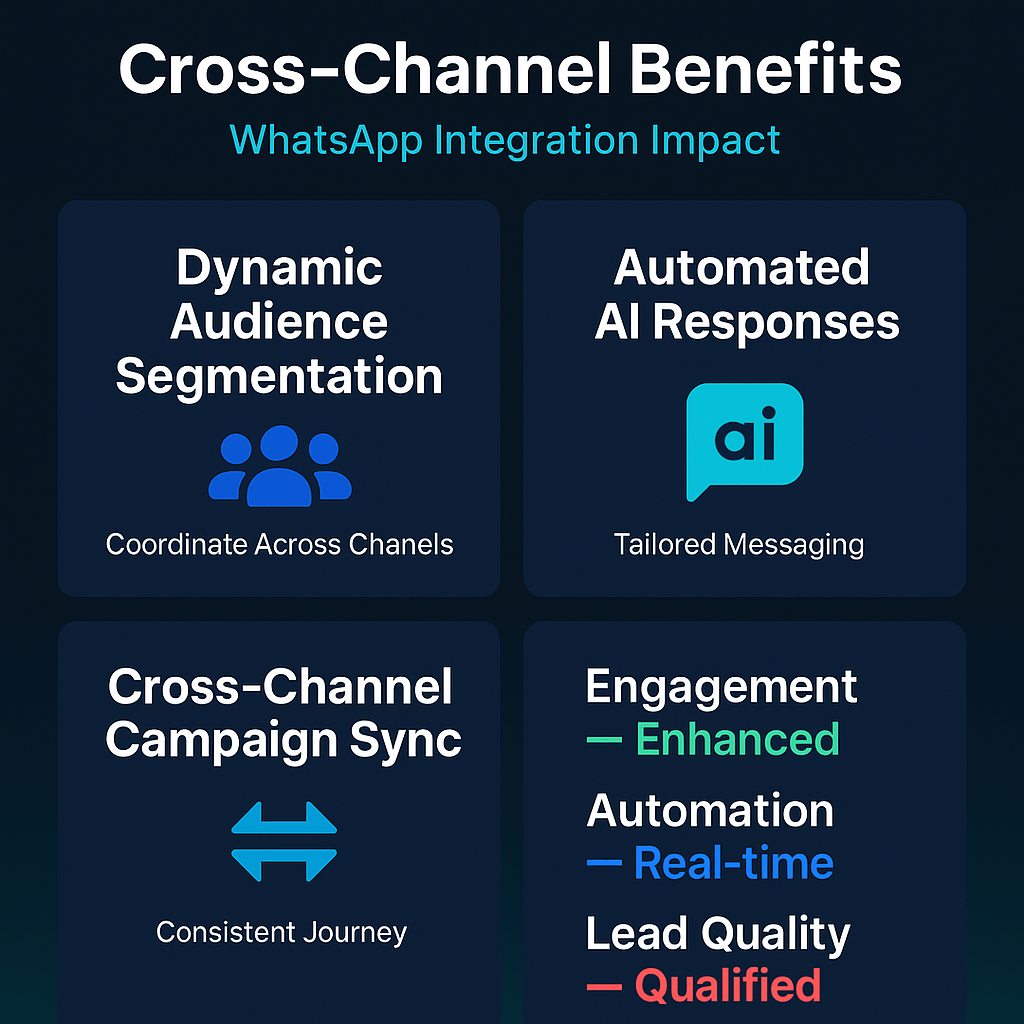
    Infographic displaying WhatsApp cross-channel benefits: dynamic segmentation, AI responses, campaign sync for enhanced engagement

    Essential Safeguards for Cross-Channel Campaigns

    Always get explicit WhatsApp permission: Never import phone lists without clear opt-in consent. WhatsApp requires explicit permission and can suspend accounts that violate this rule. Add opt-in checkboxes to your email signup forms and make the WhatsApp invitation optional.

    For a deeper breakdown of opt-in types, copy examples, and form ideas, see our detailed guide to WhatsApp opt-in strategies.

    Plan for template approval delays: Message template approval takes 1-2 days minimum from WhatsApp. Submit templates early in your campaign planning to avoid launch delays. Have backup plans ready if templates get rejected.

    Monitor privacy policy changes: Cross-platform advertising and data sharing face increasing scrutiny. Stay updated on platform policy changes that might affect how you can target audiences across channels. For a more complete overview of rules, data handling, and the 24-hour messaging window, read our guide on WhatsApp privacy compliance.

    Overlapping shields protecting marketing channels

    Why Acting Now Makes Sense

    Your competitors are still treating each channel separately. Early adopters of cross-channel WhatsApp marketing gain an advantage while the approach is still uncommon. Integration gets harder as your customer base grows and your systems become more complex.

    Platforms are also building better tools for this kind of connection. Waiting means missing the learning curve while these features are new and potentially less expensive.

    Most importantly, customer expectations are shifting. People expect brands to remember their preferences across all touchpoints. The longer you wait to connect your channels, the more disconnected your customer experience becomes.

    Start with one simple workflow: connect WhatsApp to your email welcome series and add a message template asking new leads to confirm their phone number for exclusive updates. This single integration teaches you how cross-channel marketing works without overwhelming your team.

    If you’re ready to go beyond the basics and build a full funnel, our in-depth guide to WhatsApp marketing strategies for startups shows how to turn these cross-channel workflows into a repeatable growth engine.

    Dynamic WhatsApp cross-channel marketing visualization with curved geometry and particle effects on dark gradient background
    FAQs
    How do I connect WhatsApp to my email welcome series?

    Use platforms like ActiveCampaign or Iterable with native WhatsApp integration. Add a step in your email sequence asking leads to confirm their phone number.

    What’s the best message template for phone number confirmation?

    Try: ‘Hi [Name]! Confirm your number for exclusive WhatsApp updates and early access to deals. Reply YES to join.’ Keep it benefit-focused.

    Sign up for ZendoWhisper free trial

  • Create WhatsApp Chatbot Without Coding Skills

    Create WhatsApp Chatbot Without Coding Skills

    Your customers expect instant answers. When they message your business at 9 PM asking about store hours, they want a reply now—not tomorrow morning. Building a WhatsApp chatbot can handle these common questions automatically, but most small business owners think it requires expensive developers or complex programming.

    If you are new to automation, you can also read our beginner guide here: WhatsApp Automation 101.

    What Is a WhatsApp Business Chatbot?

    A WhatsApp chatbot is an automated system that responds to customer messages on behalf of your business. It answers common questions, shares product information, and handles basic requests without human involvement. Unlike general-purpose chatbots, WhatsApp changed its terms to bar general-purpose chatbots from its platform, so your bot must only serve customers with your specific business needs.

    To understand chatbot basics better, see our full guide: WhatsApp Chatbot.

    Abstract blue chat bubbles floating in dark space

    Why Your Business Needs Automated Customer Responses

    Your competitors are already answering customer questions instantly while you’re losing sales overnight. When someone asks about your return policy or product availability, a delayed response often means they’ll buy elsewhere. Your team can’t work 24/7, but a chatbot can.

    Customer expectations have shifted. People expect businesses to respond within minutes, not hours. A chatbot handles the repetitive questions that eat up your team’s time—store hours, shipping costs, basic product details. This frees your staff to focus on complex customer issues that actually need human attention.

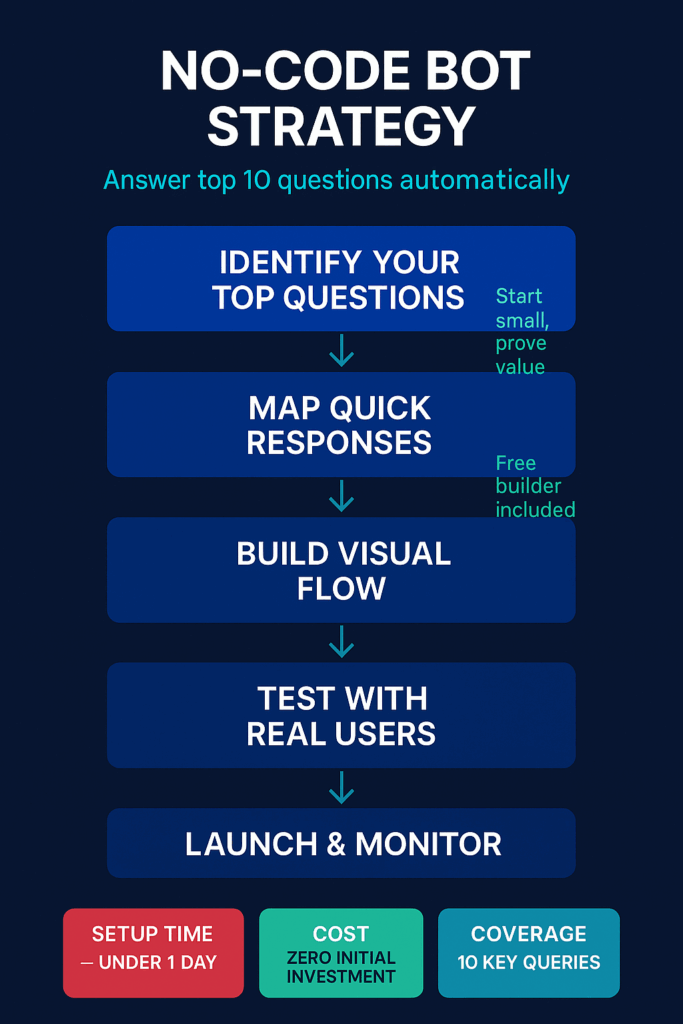
    Infographic showing five steps to build a no-code WhatsApp bot strategy

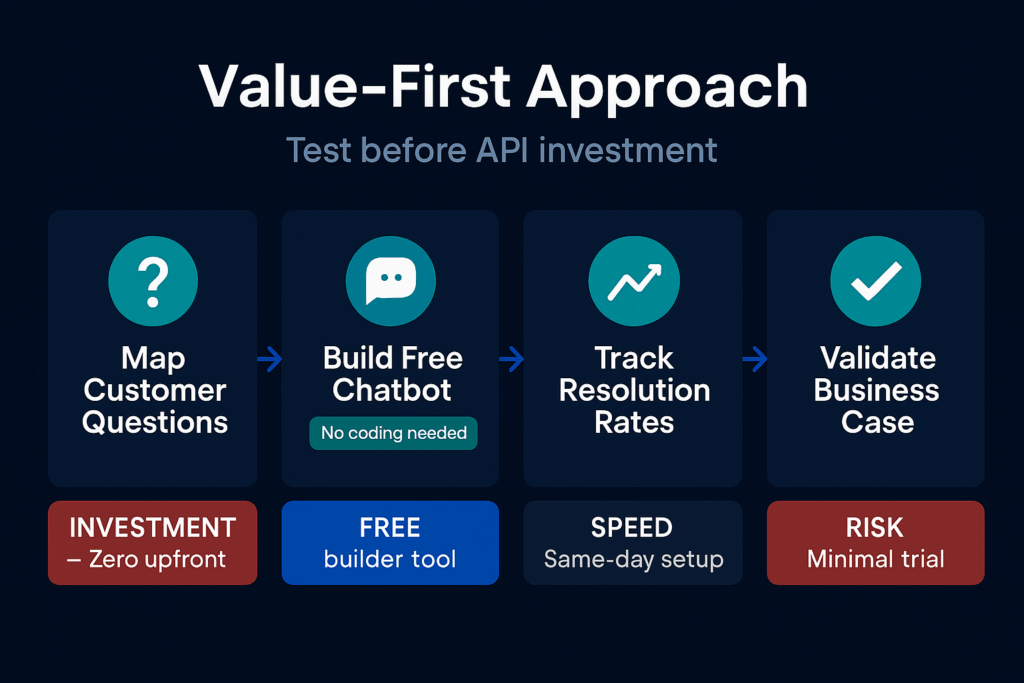
    The setup cost is minimal compared to hiring additional customer service staff. Most no-code bot builders offer free tiers that handle hundreds of conversations monthly. You only pay more as your customer base grows, making it a low-risk investment.

    How to Start Building Your WhatsApp Chatbot

    You don’t need programming skills or expensive software to create an effective chatbot. Here’s how to approach it:

    • Write down your FAQ list: Spend one hour listing the 10 questions customers ask most often. Include store hours, return policies, shipping information, and basic product details. This becomes your bot’s knowledge base.
    • Choose a no-code bot builder: Select a platform that integrates with WhatsApp Business API. Many offer drag-and-drop interfaces where you type questions and answers. Test the free version first to ensure it meets your needs.
    • Start with basic responses: Program answers for your top 5 questions first. Test each response thoroughly before adding more. Your bot should sound helpful and professional, matching your brand voice.

    If you want step-by-step help, check our guide on how to automate WhatsApp messages.

    Stacked angular blocks forming WhatsApp chatbot structure on dark background

    Metrics That Show Your Chatbot Is Working

    Track these signals to measure your chatbot’s effectiveness:

    • Response time: How quickly your bot replies to customer messages
    • Resolution rate: Percentage of questions your bot answers without human help
    • Customer satisfaction: Feedback scores from automated conversations
    • Handoff frequency: How often the bot transfers customers to human agents
    • Peak usage times: When customers contact your bot most often

    Watch for patterns in questions your bot can’t answer. These reveal gaps in your FAQ list or opportunities to expand your bot’s capabilities.

    Infographic comparing value-first approach versus direct API investment path

    Important Safeguards for Your WhatsApp Chatbot

    WhatsApp Business API requires business verification, and approval can take several days. Apply early to avoid delays in launching your bot. Make sure your bot clearly identifies itself as automated and provides easy ways for customers to reach human support when needed.

    Test all responses thoroughly before going live. A bot that gives wrong information damages your reputation faster than no bot at all. Set up human handoff triggers for complex questions your bot can’t handle. Review conversation logs weekly to spot issues and improve responses.

    If you want to set up instant responses, see our guide on WhatsApp auto reply.

    Minimalist shield protecting WhatsApp chat messages in dark space

    Why You Should Act on This Now

    Your customers are already used to automated responses from larger businesses. Delaying your chatbot setup means falling further behind competitors who respond instantly. WhatsApp is testing AI Studio, which will let users create custom chatbots for specific tasks without coding, making bot creation even easier soon.

    The holiday shopping season and busy periods hit every business. A chatbot prevents your team from drowning in repetitive questions during peak times. Starting small with a basic bot proves the concept works for your business before you invest in advanced features.

    Verified chat bubble with automation effects on dark tech background
    FAQs
    Do I need the WhatsApp Business API to create a chatbot, or can I start with the regular WhatsApp Business app?

    You do not need the WhatsApp Business API to start. Begin with the free WhatsApp Business app and use a no-code tool to add simple auto replies. When your chats and team grow and you need advanced links to other systems, then move up to the WhatsApp Business API.

    How do I identify which customer questions to automate first?

    Start by listing the questions you see again and again. Check WhatsApp chats, emails, and ask your team. Pick simple ones first, like hours, price, location, returns, and stock. These are easy to automate and will save the most time.

    Sign up for ZendoWhisper free trial

  • WhatsApp Marketing Strategies That Actually Work for Startups

    WhatsApp Marketing Strategies That Actually Work for Startups

    Your startup needs customers. Email gets ignored. Social media feels like shouting into the void. But there’s one channel where people actually read messages: WhatsApp. Most founders skip this because they think it’s too personal or complicated. It’s not.

    What WhatsApp Marketing Really Means

    WhatsApp marketing is sending helpful messages to customers who agreed to hear from you. It’s not spam. It’s not broadcasting to random numbers. It’s building real relationships through a platform people check dozens of times per day.

    Think of it as having a direct line to your customers’ pockets. When done right, it feels like getting a text from a friend who happens to run a business you care about.

    If you don’t even have a proper list yet, start by learning how to create a WhatsApp broadcast list so you have a clean base of people to message.

    Angular geometric chat cards on dark blue gradient

    Why This Matters for Your Startup Right Now

    Your customers are already on WhatsApp. They check it more than email. They trust messages that come through it more than ads on social media.

    When someone opts into your WhatsApp list, they’re saying “I want to hear from you.” That’s different from following your Instagram account or signing up for your newsletter. It’s permission to be in their most personal space.

    If you want people to join that list faster, you can use QR codes on your website, flyers, or packaging—here’s a detailed guide on WhatsApp QR code opt-ins you can follow.

    Startups that ignore WhatsApp miss out on building the kind of customer relationships that create loyal buyers. Your competitors probably aren’t using it well yet. That gives you a window to connect with customers before everyone else figures it out.

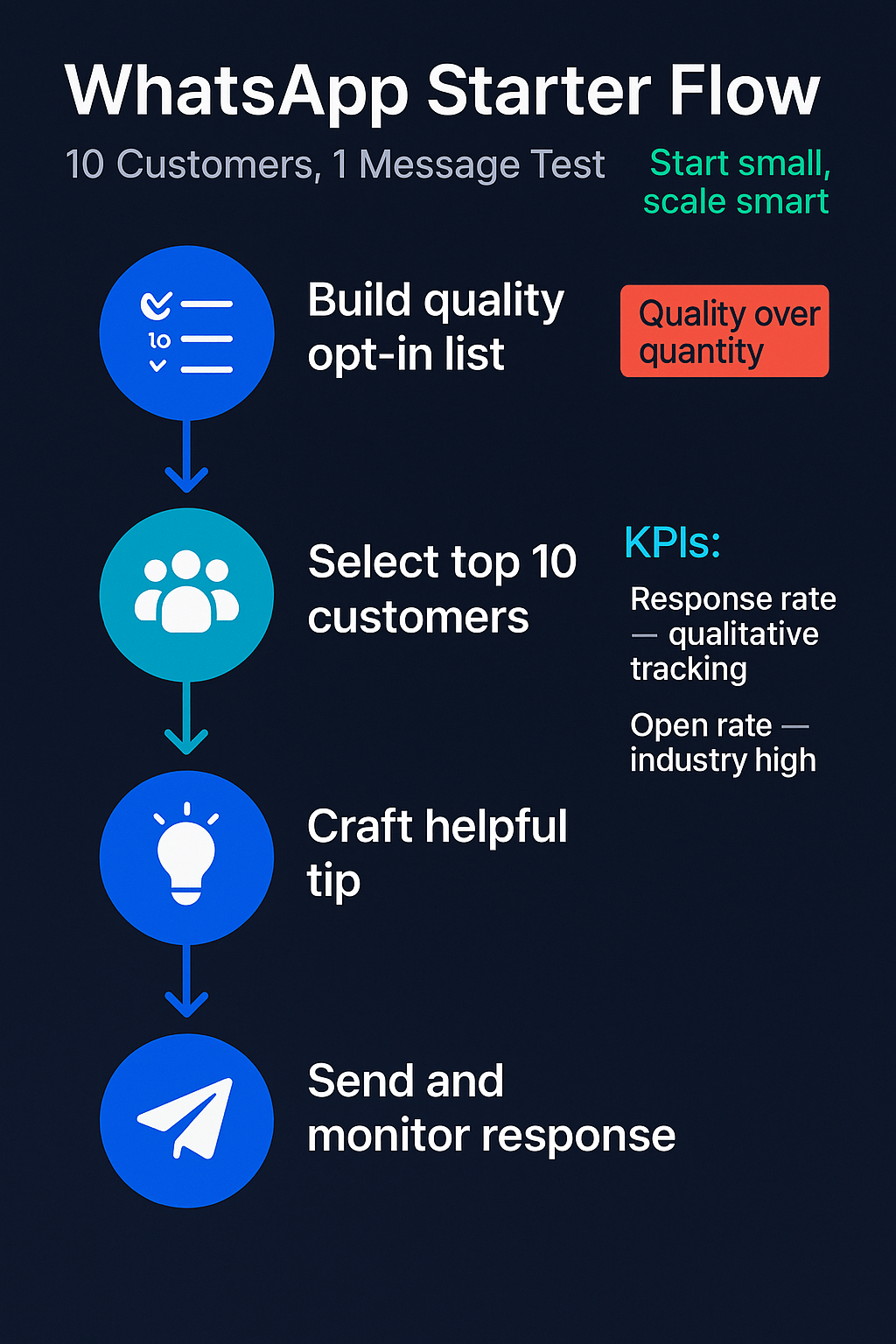
    Infographic showing WhatsApp starter flow with 10 customers and 1 message

    How to Start Without Overwhelming Yourself

    Pick your approach based on what you can actually handle:

    • Build a simple opt-in system: Add a WhatsApp button to your website where visitors can agree to get useful updates. Make it clear what they’ll receive and how often. One sign-up form can collect dozens of interested contacts over a few weeks. You can make this even easier by using QR codes that go straight to your WhatsApp chat—check out this guide on WhatsApp QR code opt-ins for a step-by-step breakdown.
    • Create a VIP customer group: Take your 10 best customers and ask if they want exclusive tips or early access to new features through WhatsApp. Most will say yes because it makes them feel special. If you want to send updates to many people at once without creating a noisy group, set up a broadcast list—this article shows you how to create and use WhatsApp broadcast lists properly.
    • Set up basic automation: Use WhatsApp Business app to send instant replies when new contacts message you. A simple “Thanks for reaching out! I’ll get back to you within 2 hours” keeps people engaged while you focus on other work.

    Start with just one of these. Master it before adding more complexity.

    Seed-like cluster of customer icons in green blue

    What to Watch to Know It’s Working

    Track these simple signals to see if your WhatsApp strategy helps your startup:

    • Reply rates: How many people respond when you send a message? Good WhatsApp marketing gets people talking back, not just reading silently.
    • Opt-out requests: If people start asking to be removed from your list, you’re sending too many messages or the wrong type of content.
    • Customer questions: More questions through WhatsApp usually means people trust you enough to ask for help or advice.
    • Referrals through the channel: When customers share your WhatsApp contact with friends, you know they value what you send.
    • Sales conversations that start on WhatsApp: Track how many purchases or meetings come from WhatsApp conversations versus other channels.
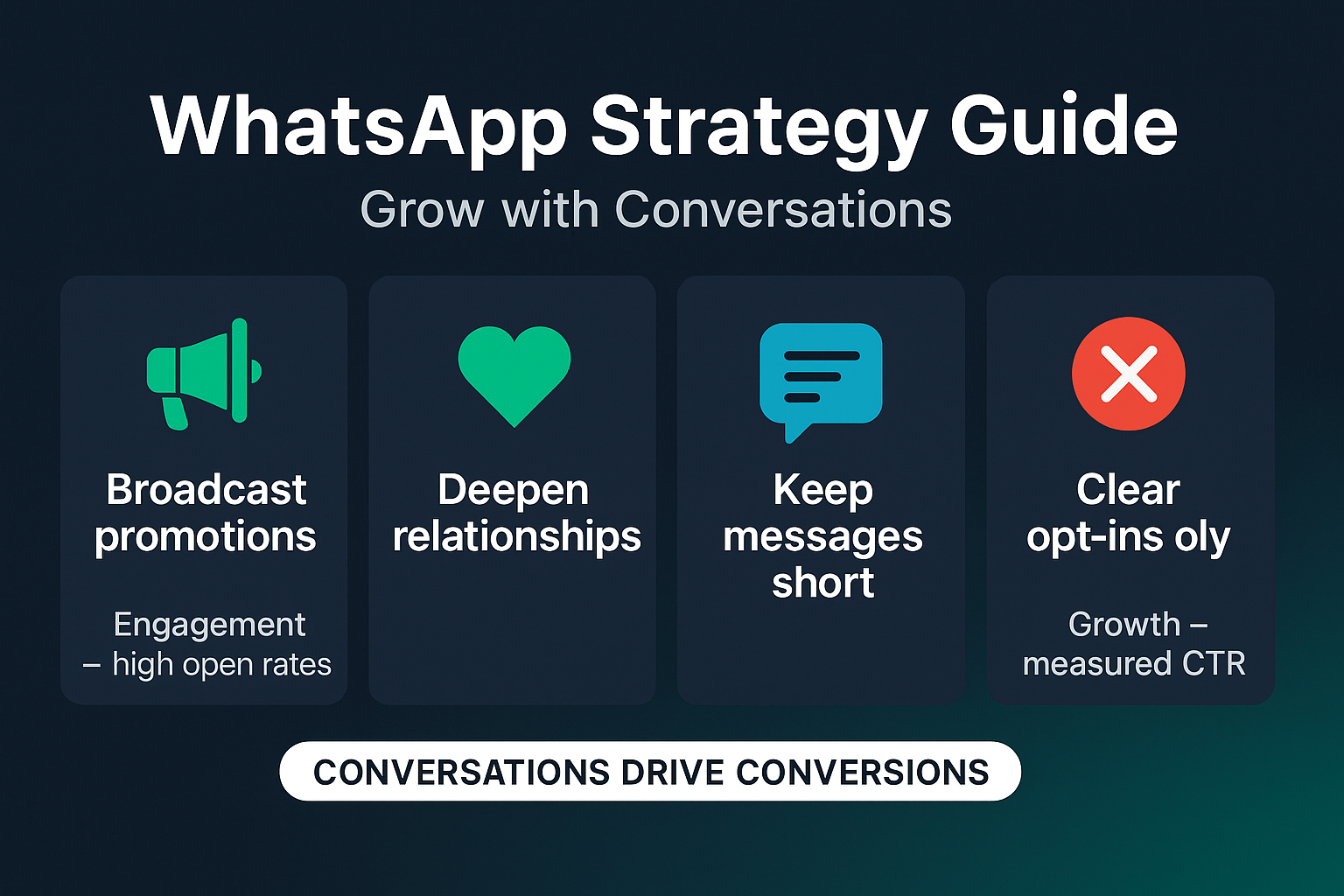
    Strategy guide for startup WhatsApp marketing with broadcast and engagement tips

    Keep Your WhatsApp Strategy Safe and Legal

    Avoid common mistakes that can hurt your startup:

    • Only message people who said yes: WhatsApp’s policies are clear about getting consent before sending promotional messages. One complaint can get your number blocked.
    • Keep a record of opt-ins: Save proof that people agreed to hear from you. Screenshots of sign-up forms or saved conversations work fine for small lists.
    • Give people an easy way out: Always include instructions for opting out. Something like “Reply STOP to unsubscribe” keeps you compliant and maintains trust.

    These safeguards protect your business and keep customers happy.

    Shield icon protecting messaging elements on dark background

    The Real Opportunity Most Startups Miss

    While other founders chase the latest social media trend, you can build something more valuable: direct access to customers who actually want to hear from you.

    Every day you wait, your competitors might figure this out. Every week without a WhatsApp strategy is another week of missed conversations with people who could become your best customers.

    The startups winning with WhatsApp aren’t sending fancy campaigns. They’re sending helpful messages to small groups of people who opted in. They’re being useful, not pushy.

    Your customers are already on WhatsApp. The only question is whether you’ll meet them there or keep hoping they’ll notice you everywhere else.

    Mobile device silhouette with WhatsApp notification pulse for marketing
    FAQs
    What types of messages work best for engaging customers on WhatsApp?

    Focus on messages that are short, helpful, and directly relevant to your customers’ needs. The most effective WhatsApp messages provide genuine value rather than just promoting your product. Think helpful tips, industry insights, exclusive how-to guides, or early access to new features. Keep messages conversational and personal – WhatsApp feels more intimate than email, so write like you’re texting a friend. Avoid lengthy promotional content and instead aim for quick, actionable advice that your customers can immediately use.

    How do I start WhatsApp marketing for my startup without coming across as spammy?

    Start with a small WhatsApp list and clear permission. Ask your best customers if they want helpful updates and add only those who say yes. Send one valuable message per week, such as a tip or short insight, and watch how they respond. If people like it, slowly grow your list while keeping the same helpful, non-pushy tone.

    Sign up for ZendoWhisper free trial

  • WhatsApp Consent Message Templates That Actually Work

    WhatsApp Consent Message Templates That Actually Work

    Your customers want to hear from you on WhatsApp. But send one message without proper consent and you risk account suspension. The fix is simple: add clear consent language to your forms before you start messaging.

    What WhatsApp Consent Really Means

    WhatsApp consent is permission from your customer to send them messages on the platform. You must get a user’s consent before you can message them on WhatsApp, according to platform policy. This isn’t just a checkbox somewhere on your site. The opt-in must clearly state your business name and that the person is agreeing to receive messages from you over WhatsApp.

    Think of it as a simple contract. Your customer says yes to getting specific types of messages from your specific company on WhatsApp.

    For a deeper breakdown of WhatsApp opt-in rules, privacy requirements, and message window limitations, see our WhatsApp privacy compliance guide.

    Glowing teal checkbox inside a dark chat bubble on graphite-blue gradient background

    Why This Matters More Than You Think

    Poor consent practices create three big problems for your business. First, Meta can suspend your WhatsApp Business account if they find you’re messaging people who didn’t clearly agree. Account recovery takes weeks and kills your momentum.

    Second, unclear consent hurts your message delivery rates. When people report your messages as spam because they forgot they signed up, WhatsApp’s algorithm notices. Your future messages get filtered out or blocked entirely.

    Third, you waste time and money on the wrong audience. People who didn’t intentionally opt in for WhatsApp messages rarely engage. They delete, ignore, or block you instead of buying.

    The solution costs nothing and takes minutes to implement.

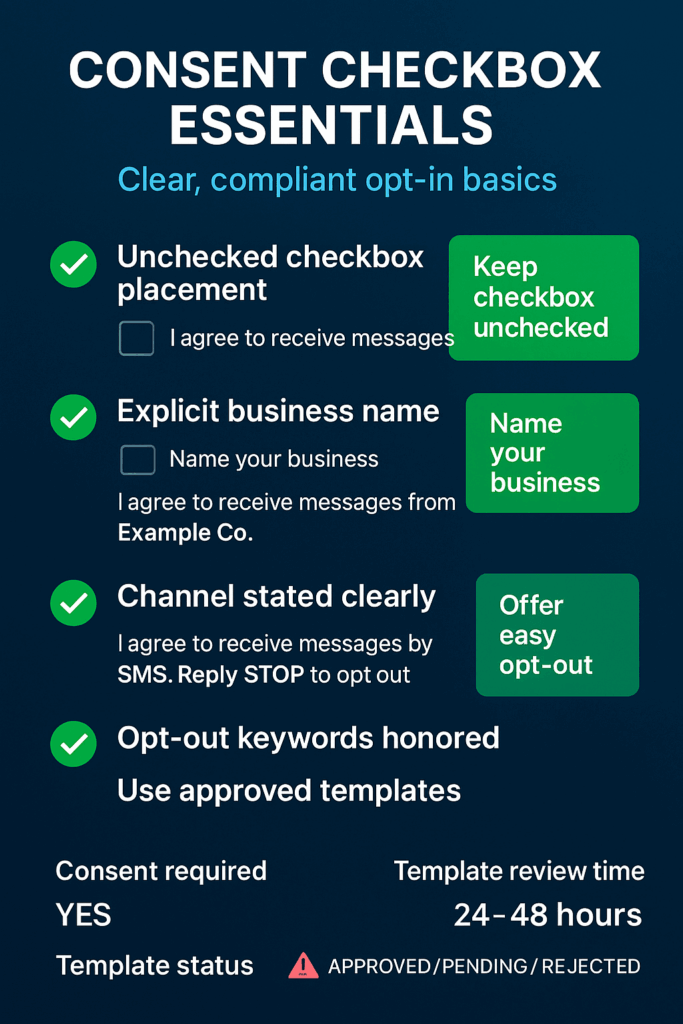
    Vertical infographic on consent checkboxes, clear opt-in rules, and template KPIs

    Your Three-Step Consent Setup

    Start with these practical steps to build compliant consent collection:

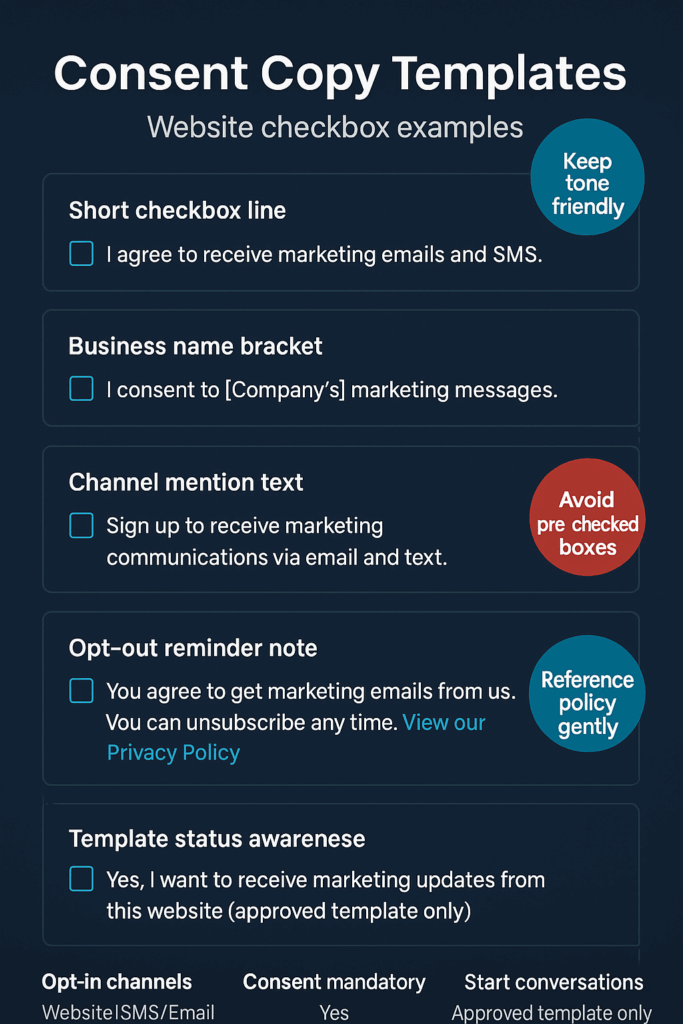
    • Add consent language to your highest-traffic form – Place an unchecked checkbox on your checkout page, contact form, or newsletter signup with text like “I agree to receive order updates and offers from [Your Company Name] on WhatsApp.” Make sure customers must actively check the box.
    • Create a simple opt-out process – Set up an automated response that handles common opt-out keywords like “STOP” or “UNSUBSCRIBE.” Businesses must honor user requests to opt out of receiving messages. Test this process before you send your first campaign.
    • Draft your first message template – Write a welcome message that reminds people they signed up and tells them what to expect. Businesses can only start conversations using an approved message template, so plan for Meta’s review process.
    Sleek navy UI mockup of opt-in controls with toggles, bar, fields and icons, no text

    Watch These Consent Health Signals

    Track these metrics to catch consent problems early:

    • Spam report rate – If more than 2% of your messages get marked as spam, review your consent collection process
    • Opt-out requests per campaign – A sudden spike means your consent language might be unclear or your content doesn’t match what people expected
    • Message delivery rates – Dropping delivery rates often signal that WhatsApp’s algorithm thinks you’re sending unwanted messages
    • Template approval timeMeta typically reviews and approves message templates within 24-48 hours. Longer delays might indicate content issues
    • Customer confusion responses – Messages like “Who is this?” or “I didn’t sign up” suggest your consent process needs work
    Infographic of website consent checkbox templates with tips for friendly, clear opt-ins

    Essential Consent Safeguards

    Double-check your business name – Your consent checkbox must use the exact business name that appears on your WhatsApp Business account. Mismatched names confuse customers and violate platform rules.

    Keep consent records – Document when and where each customer gave consent. Include the exact checkbox text they saw and the date they agreed. You’ll need this if customers complain or if Meta asks questions.

    Review consent language quarterly – WhatsApp’s rules can change. Check the official policy every few months to make sure your consent language stays compliant. You can also follow our WhatsApp privacy compliance checklist to make sure you don’t miss any important changes.

    Neon blue shield icon on dark inky gradient with subtle red alert dots glowing softly

    Why You Should Fix This Now

    Every day without proper consent collection is a missed opportunity and a growing risk. Your competitors are already building WhatsApp customer lists with clear consent processes. They’re getting higher engagement rates and stronger customer relationships because their audience actually wants to hear from them.

    Meanwhile, businesses that skip proper consent face account suspensions just when their WhatsApp strategy starts working. The fix takes less time than your next meeting and protects everything you build afterward.

    Glowing blue chat bubble with checkmark icon on dark gradient, symbolizing consent

    Start with one form on your website. Add clear consent language. Test the opt-out process. Your future campaigns will thank you for building the right foundation.

    Sign up for ZendoWhisper free trial

  • WhatsApp Automation for Finance: Start Small, Scale Smart

    WhatsApp Automation for Finance: Start Small, Scale Smart

    Your customers expect instant answers to basic banking questions. They’re already on WhatsApp. But diving into automation without a clear plan can create compliance headaches and frustrated users.

    Here’s how to start WhatsApp automation in finance the right way.

    What WhatsApp Automation Means for Finance

    WhatsApp automation uses chatbots and workflows to handle customer questions without human agents. Think balance checks, payment confirmations, and account alerts sent directly to the messaging app your customers already use daily.

    The technology connects to your existing systems through APIs. Customers text their questions. The bot pulls data from your core banking platform and responds instantly.

    Why This Matters for Your Institution

    Your call center handles hundreds of routine questions every day. “What’s my balance?” “Did my payment go through?” “When is my next statement?” Each call costs money and ties up agents who could handle complex issues instead.

    WhatsApp automation shifts these simple queries to self-service. Customers get instant answers. Your team focuses on high-value conversations. Response times drop from minutes to seconds.

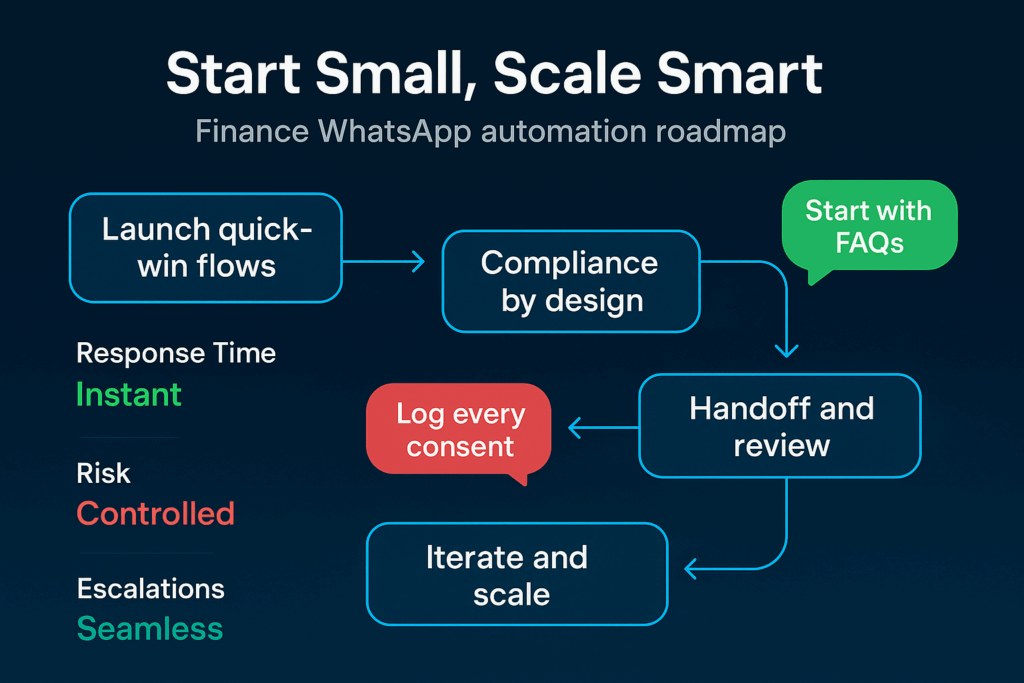
    Roadmap infographic: Start Small, Scale Smart—four-step WhatsApp finance automation flow

    The timing matters too. Customers increasingly expect banking to work like other digital services. Instant. Available 24/7. No phone trees or hold music.

    Regulated institutions face extra pressure. Compliance requirements make every customer interaction critical. But WhatsApp automation can actually improve compliance when built correctly. Every conversation gets logged. Responses stay consistent. No agent goes off-script.

    Your Starting Pattern

    Don’t try to automate everything at once. Pick three simple use cases and nail them first:

    • Balance inquiries: Customer sends account number or authenticates through secure PIN. Bot pulls current balance from core system and responds with formatted message. Exit when customer asks about specific transactions.
    • Payment confirmations: Bot checks recent transactions and confirms if payment processed successfully. Include reference numbers and timestamps. Hand off to human if customer disputes the information.
    • Account alerts: Automate low-balance warnings, payment due dates, and security notifications. Keep messages short and clear. Always include contact info for follow-up questions.

    Start with read-only operations. No money movement. No account changes. Just information retrieval with strong authentication.

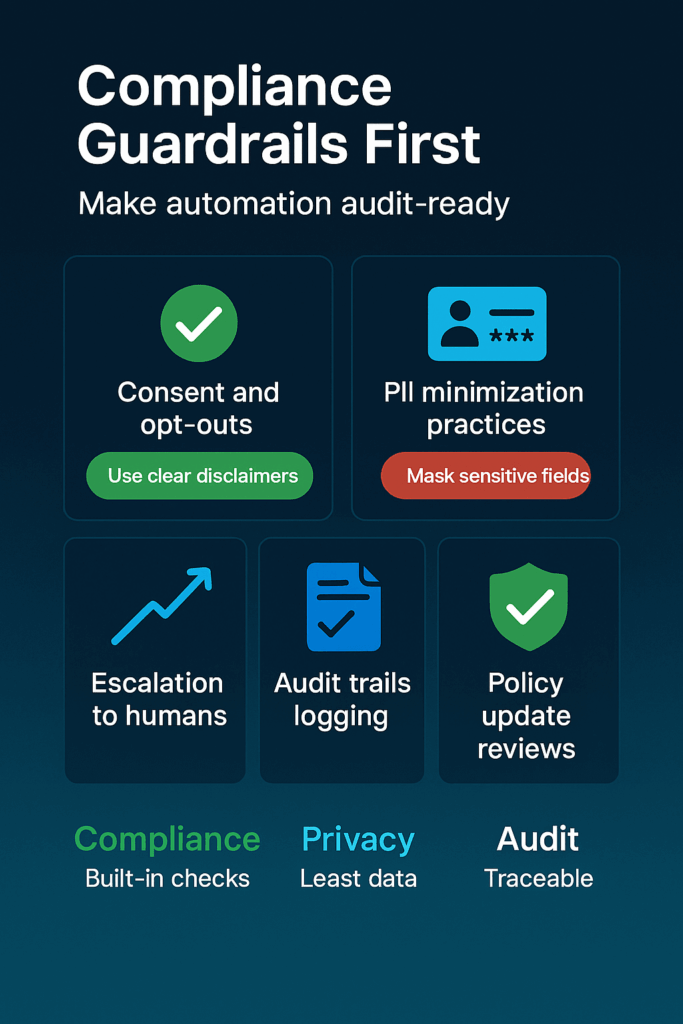
    Infographic: Compliance Guardrails First—grid on consent, PII minimization, logs, reviews

    Signals to Watch

    Track these metrics to know if your automation is working:

    • Resolution rate: Percentage of conversations the bot completes without human handoff. Good automation should handle 70-80% of target use cases.
    • Authentication success: How often customers complete security checks on first try. High failure rates signal confusing flows.
    • Handoff quality: When conversations move to human agents, does the context transfer cleanly? Agents shouldn’t need to ask customers to repeat information.
    • Customer satisfaction: Simple post-chat surveys show if people prefer the automated experience. Watch for complaints about bot responses feeling robotic or unhelpful.
    • Error rates: Monitor failed API calls, timeout issues, and incorrect responses. Even small technical glitches erode trust fast in banking.
    Smartphone amid glowing microchips and circuitry, cyan finance icons on dark gradient

    Essential Safeguards

    Financial automation requires extra protection:

    Data privacy: Encrypt all WhatsApp messages in transit and at rest. Never store sensitive account details in chat logs longer than required for compliance. Map data flows to show regulators exactly what information travels where.

    Authentication strength: Require multi-factor verification for any account access. PIN codes, SMS verification, or biometric checks depending on sensitivity. One-time passwords work well for WhatsApp since customers already receive SMS codes.

    Human oversight: Build clear escalation paths when automation hits limits. Train agents to recognize handoff scenarios. Review bot conversations regularly to catch edge cases your team missed.

    Neon shield with checkmark on dark gradient, green dollar and red risk arrow accents

    Set spending limits too. If someone tries to authorize large transactions through chat, automatically route them to secure channels or branch visits.

    Why Start Now

    WhatsApp Business API access requires approval. The process takes weeks, sometimes months for financial institutions. While you wait, map your current call center data to identify automation opportunities.

    Your competitors are already testing these tools. Early movers will capture customer preference for instant, mobile-first banking. But moving fast without proper safeguards creates bigger risks than moving slowly.

    Neon bars rising left to right on a dark blue gradient, linked by a glowing cyan growth arrow

    The regulatory landscape is also shifting. Digital banking guidelines continue evolving. Starting with simple, compliant use cases now positions you to expand safely as rules clarify.

    Customer expectations won’t wait though. Every day you delay automated support is another day customers experience friction with basic banking tasks. Start planning your WhatsApp automation strategy while building the compliance foundation to scale it right.

    Glowing chat line, chart, and coin icons on a dark teal-blue gradient, evoking smart finance

    Sign up for ZendoWhisper free trial

  • WhatsApp QR Code Opt-in Gets You More Leads With Less Friction

    WhatsApp QR Code Opt-in Gets You More Leads With Less Friction

    Your potential customers see your ad or booth. They want to know more. But asking for phone numbers feels pushy and typing contact details takes time. Many just walk away instead.

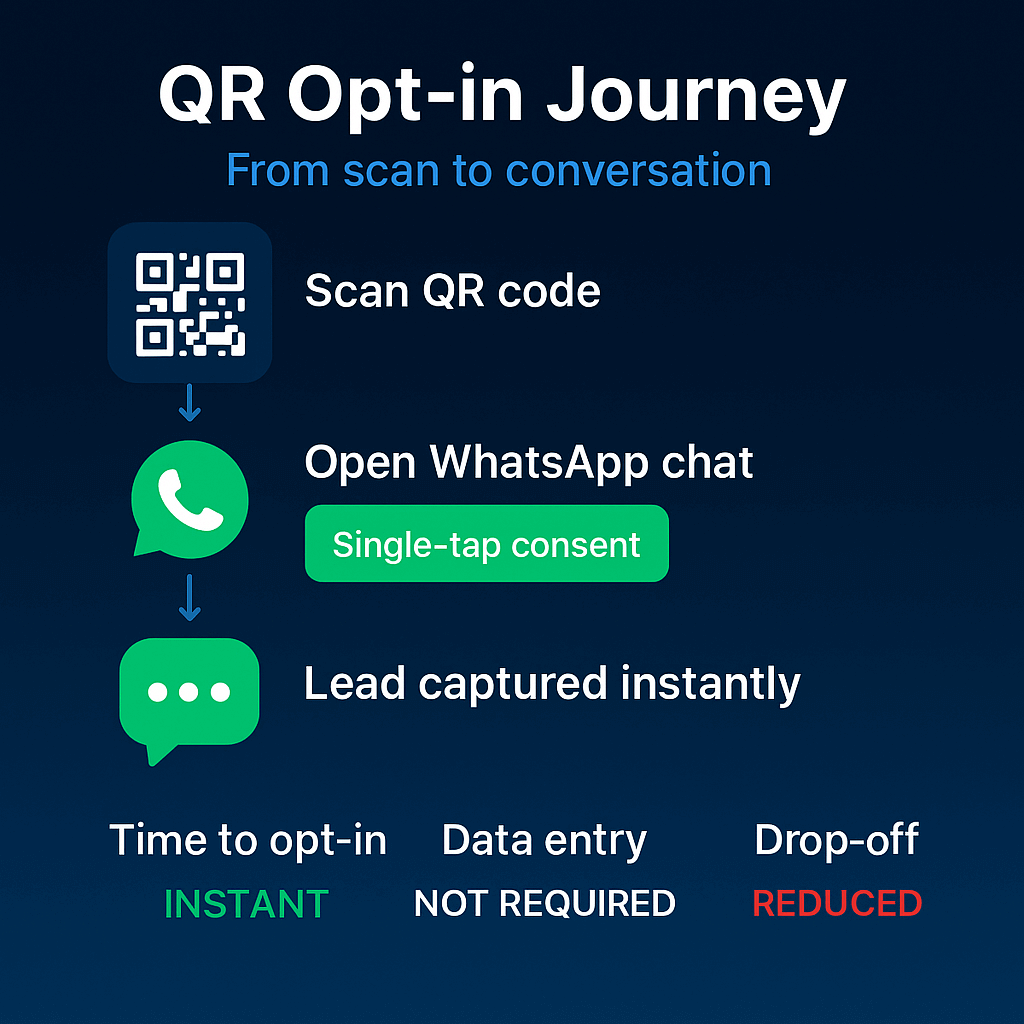
    WhatsApp QR code opt-ins solve this problem. People scan your code and start a conversation instantly. No forms. No typing. No awkward contact requests.

    What WhatsApp QR Code Opt-in Actually Means

    A WhatsApp QR code is a scannable square that connects people directly to your business chat. When someone scans it with their phone camera, WhatsApp opens automatically with a pre-filled message to your business number.

    Think of it like a business card that works instantly. People scan and they’re already talking to you.

    Flowchart showing QR scan, WhatsApp chat open, single-tap opt-in, and instant lead capture with supporting KPIs

    Why This Matters for Your Lead Generation

    Friction kills conversions. Every extra step between interest and contact costs you potential customers.

    Traditional lead capture asks people to fill forms, remember your number, or find you on social media later. Most forget or get distracted. QR codes remove all those barriers.

    Your leads also get immediate value. Instead of waiting for a callback or email response, they start a real conversation right away. This builds trust faster than any automated sequence. For a step-by-step playbook on growing permission-based contacts, see WhatsApp opt-in strategies.

    For small businesses especially, this speed advantage matters. Your competitors probably still use old-school contact forms. While they wait days to follow up, you’re already solving problems and building relationships.

    How to Set Up Your QR Code Lead Magnet

    Start simple with these three steps:

    • Create your WhatsApp Business QR code through the app settings or WhatsApp Business API dashboard. Set a welcome message that introduces your business and asks how you can help.
    • Place codes where your ideal customers already look – product packaging, storefront windows, business cards, email signatures, social media posts, or event displays. Match the location to where people naturally want more information. Once you start capturing interest, prepare your follow-up channel by creating a WhatsApp broadcast list so you can nurture new contacts with updates and offers.
    • Train your team to respond quickly within business hours. The whole point is instant connection, so slow responses waste the advantage. Have standard responses ready for common questions.
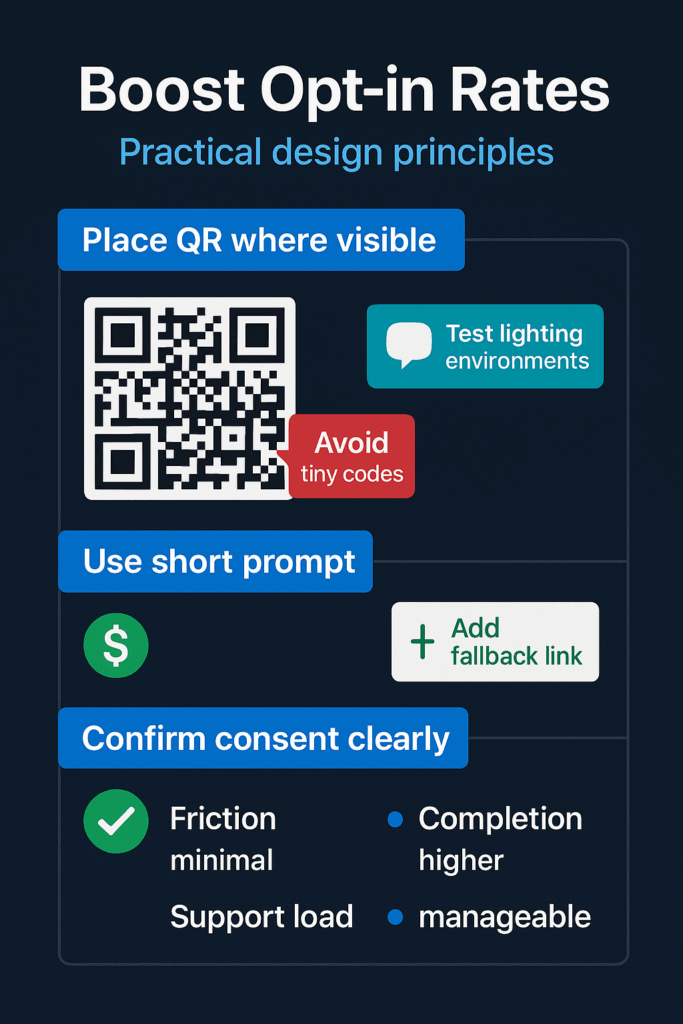
    Infographic showing tips to boost opt-in rates with QR placement, short prompts, clear value, and consent cues

    Signs Your QR Code Strategy Is Working

    Watch these simple metrics to track success:

    • Scan rate – how many people actually scan your codes compared to how many see them. Higher rates mean better placement or stronger messaging.
    • Conversation starts – scans that turn into actual messages. Low conversion here suggests your welcome message needs work.
    • Response time – how quickly your team replies to new contacts. Faster responses typically mean higher engagement and better lead quality.
    • Message exchanges – how many back-and-forth messages happen after the first contact. More exchanges usually indicate genuine interest.
    • Lead progression – contacts who move from chat to phone calls, meetings, or purchases. This tells you if QR code leads convert as well as other sources. To scale warm follow-ups without spamming, build segmented broadcast lists.
    Abstract teal and blue dashboard tiles with QR icons, arrows, bars, and circles symbolizing QR code growth and engagement

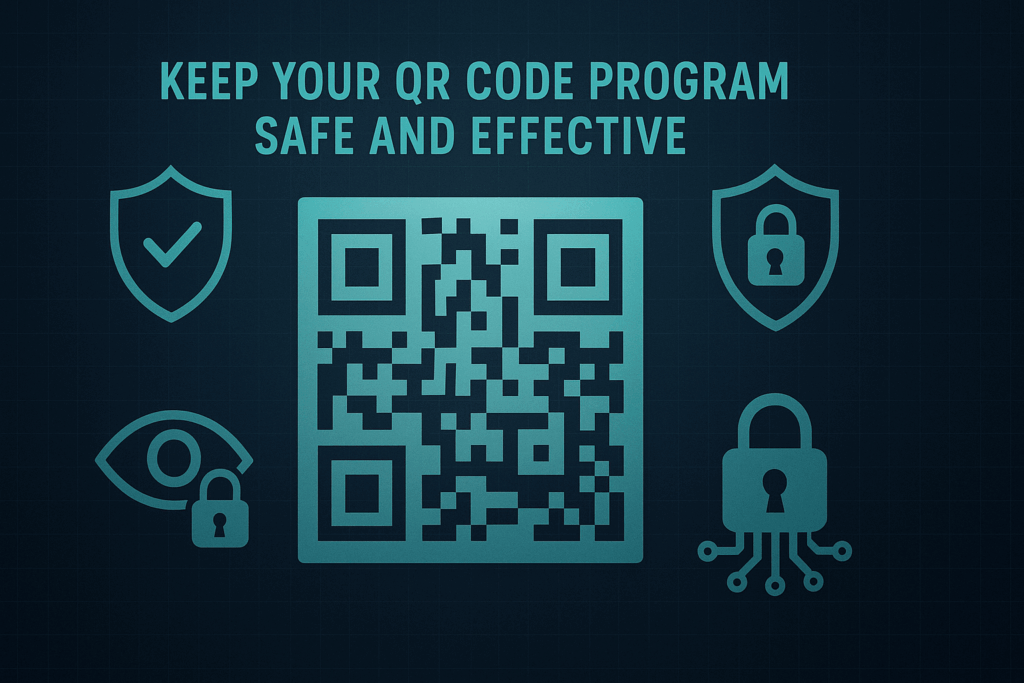
    Keep Your QR Code Program Safe and Effective

    Build trust by being transparent. Tell people exactly what happens when they scan – that they’ll start a WhatsApp conversation with your business. Surprises hurt conversion rates.

    Respect privacy from day one. Don’t add contacts to marketing lists without clear permission. Keep conversations focused on their questions until they explicitly ask for updates or promotions. Need compliant ways to ask for consent across touchpoints? Check our WhatsApp opt-in strategy guide

    Test your codes regularly. QR codes can break if you change phone numbers or WhatsApp settings. Check them monthly by scanning with different phones and operating systems.

    Dark blue graphic with a central QR code surrounded by teal security icons and the text ‘Keep Your QR Code Program Safe and Effective

    Why QR Code Opt-ins Work Now More Than Ever

    Customer expectations changed permanently. People want instant answers and personal service, not email sequences or callback requests.

    Your competitors are probably still stuck in old lead generation patterns. While they collect email addresses for later follow-up, you’re having real conversations with interested prospects right now.

    QR code adoption also reached a tipping point. People scan codes for restaurant menus, event tickets, and app downloads daily. The behavior is already there – you just need to capture it for your business.

    The opportunity window won’t stay open forever. As more businesses discover QR code lead generation, the early advantage disappears. Start testing your first codes before your market gets crowded with them.

    Dark, modern graphic featuring a glowing QR code with cool blue gradients and a bright green WhatsApp icon

    Sign up for ZendoWhisper free trial

  • WhatsApp Inbound Automation That Actually Works

    WhatsApp Inbound Automation That Actually Works

    Your support team types the same answers dozens of times each day. Meanwhile, customers wait for basic info they could get instantly. Starting with WhatsApp inbound automation fixes both problems, but only if you resist the urge to automate everything at once.

    What WhatsApp Inbound Automation Really Means

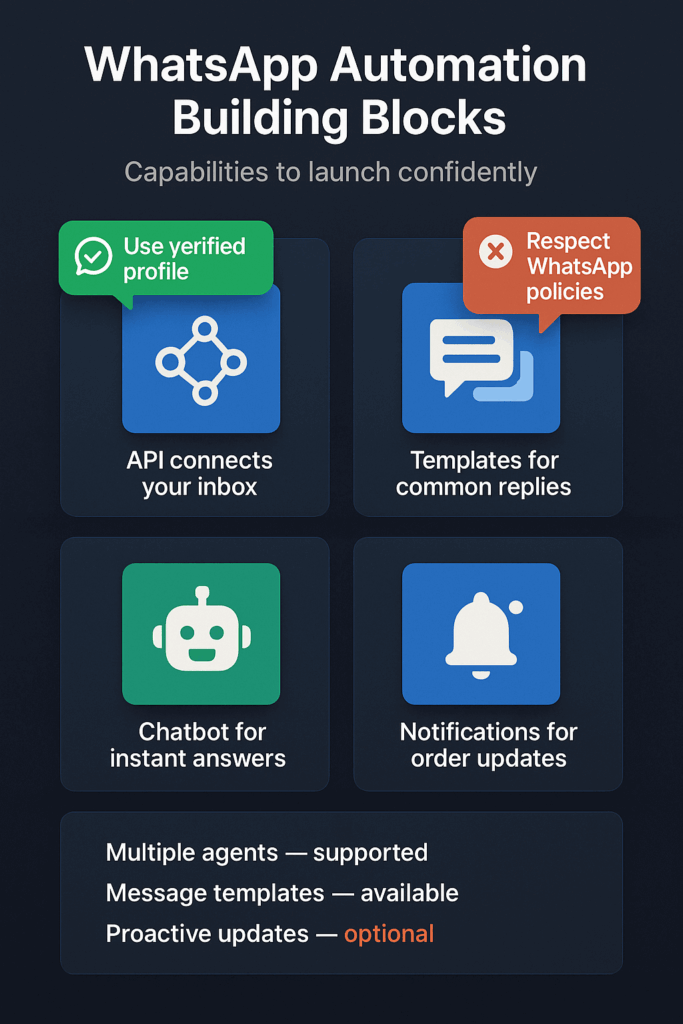
    WhatsApp inbound automation handles customer messages that come to your business number without human typing. The WhatsApp Business Platform lets you build automated chat flows and can pass conversations to a live person if needed. Think of it as your digital receptionist that never sleeps or takes breaks. For a big-picture intro, see our WhatsApp automation 101.

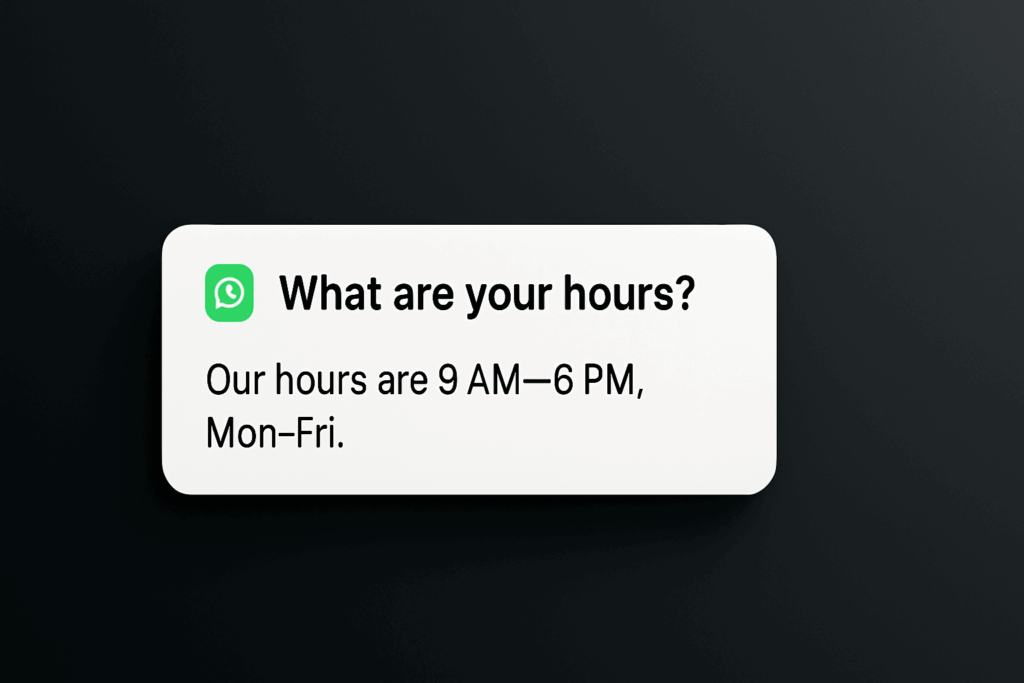
    It works through quick replies, chatbots, and message templates. When someone asks about your hours, pricing, or return policy, automation gives them an instant answer. Your team only sees chats that need human help.

    Why Your Team Needs This Now

    Your support workload grows faster than your team size. Every repeated answer steals time from complex customer issues that actually need human insight. Customers also expect instant responses on messaging apps like WhatsApp.

    Support team sharing one WhatsApp Business inbox to manage customer chats together

    Automation gives customers what they want while freeing your team for work that matters. The WhatsApp API allows multiple team members to access and manage customer chats from a single business number, so everyone stays in sync. You handle more conversations without hiring more people. Learn more in the WhatsApp Business API.

    The bigger win? Customer satisfaction jumps when people get answers immediately instead of waiting hours for your team to respond. Fast answers build trust. Slow ones damage it.

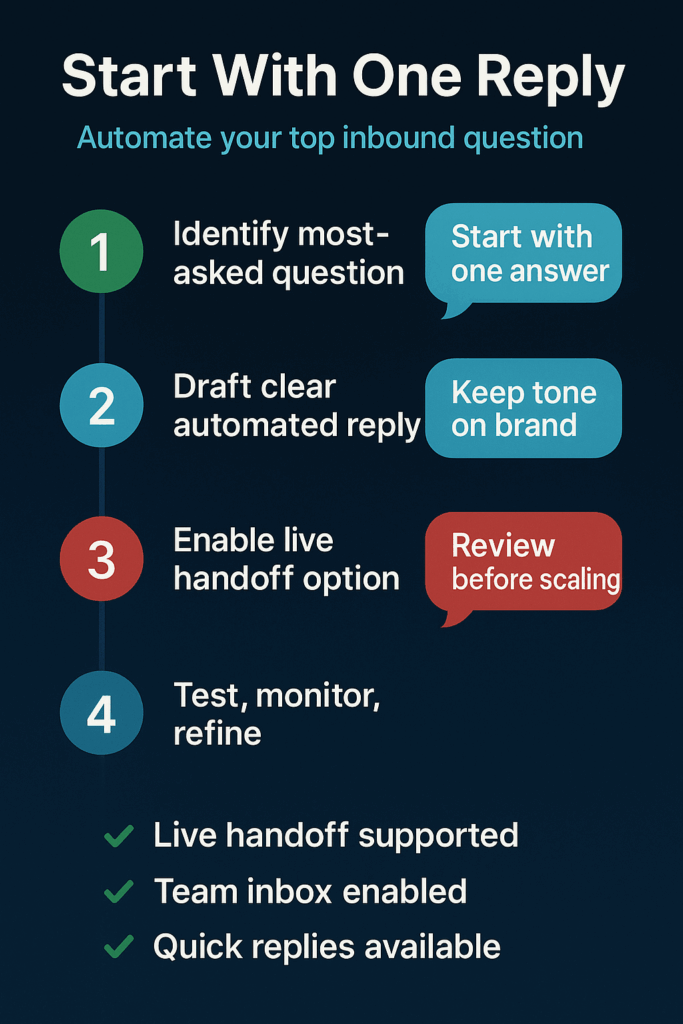
    Infographic—Start With One Reply: 1) Identify most-asked question 2) Draft clear automated reply 3) Enable live handoff 4) Test, monitor, refine

    Start With One Question

    Forget complex chatbot flows. Pick the single question your team answers most often and automate just that response. This approach works because:

    • Identify the biggest time drain: Review past conversations or ask your support team what question they answer most. Usually it’s hours, pricing, shipping times, or return policies.
    • Set up one automated quick reply: Use a WhatsApp Business Platform provider to create an instant response for that specific question. Automation tools for the API include message templates and quick replies to handle common inbound customer questions. Step-by-step help: see our how to automate WhatsApp messages guide.
    • Test and refine the response: Make sure the automated answer fully addresses the question. Include a clear way for customers to reach a human if they need more help.

    This focused approach lets you see real results quickly without overwhelming your team or confusing customers.

    Highlight card showing one most-asked question mapped to an automated WhatsApp reply

    Watch These Success Signals

    Track these simple metrics to know if your automation works:

    • Response time: How fast customers get their first answer
    • Repeat questions: Whether the same customer asks follow-up questions about the automated topic
    • Team workload: How many fewer repetitive chats your support team handles
    • Customer satisfaction: Feedback scores or complaint levels for automated interactions
    • Handoff rate: How often automated chats transfer to humans

    Good automation reduces repeat questions and team workload while keeping satisfaction high. If customers keep asking follow-ups, your automated answer needs work.

    Infographic: KPIs—response time, repeat questions, team workload, customer satisfaction, and handoff rate

    Keep These Safeguards in Place

    Automation without safeguards creates new problems:

    Always offer human contact: Every automated message should include a clear way to reach your team. Customers hate feeling trapped by bots.

    Follow WhatsApp’s rules: You must get customer permission before sending messages. WhatsApp has strict policies about business communications that you need to follow. Before you launch, review our WhatsApp privacy compliance checklist.

    Review and update responses: Customer needs change. What people ask about most shifts over time. Check your automated answers monthly to keep them accurate and helpful.

    Safeguards: clear human contact, consent and policy compliance, monthly response reviews

    The Time to Start Is Right Now

    Every day you wait, your team answers the same questions while customers wait for basic information. Meanwhile, your competitors might already be giving instant WhatsApp responses.

    Chatbots can be connected to the WhatsApp Business API to deliver instant, automated responses to customers. The technology exists. The only question is whether you’ll use it before your competition does.

    Start small with one automated answer. Your team will thank you for the time back, and your customers will appreciate the instant help. The first automation always teaches you the most about what works for your specific business.

    Square social graphic on dark gradient with rounded chat signals and soft particles, no text or logos

    Sign up for ZendoWhisper free trial

  • WhatsApp Order Tracking Automation That Actually Works

    WhatsApp Order Tracking Automation That Actually Works

    Your team spends hours answering “Where is my order?” every single day. Meanwhile, your customers ignore shipping emails but check WhatsApp constantly. There’s one simple automation that fixes both problems and takes an afternoon to set up. If you’re brand-new to this, read the WhatsApp automation 101 first so the rest of this guide clicks.

    What WhatsApp Order Tracking Automation Really Means

    WhatsApp order tracking automation sends order updates directly to your customers’ phones through messages they’ll actually see. Instead of hoping they check email, you meet them where they already spend their time. The WhatsApp Business Platform allows businesses to automate order confirmations, status updates, and delivery notifications through its API.

    This isn’t about fancy chatbots or complex workflows. It’s about replacing those buried shipping emails with messages that pop up on the screen your customers look at dozens of times per day.

    Why Your Support Team Needs This Now

    Every “Where’s my package?” question costs your team 3-5 minutes to look up, respond to, and follow up on. Multiply that by your daily order volume and you’re looking at hours of preventable work.

    Customers ask because they don’t know where to find tracking information. Email confirmations get lost in spam folders or forgotten inboxes. Text messages feel impersonal and often lack clickable tracking links. But WhatsApp hits the sweet spot—personal enough to get attention, rich enough to include tracking links, and instant enough to satisfy anxious customers.

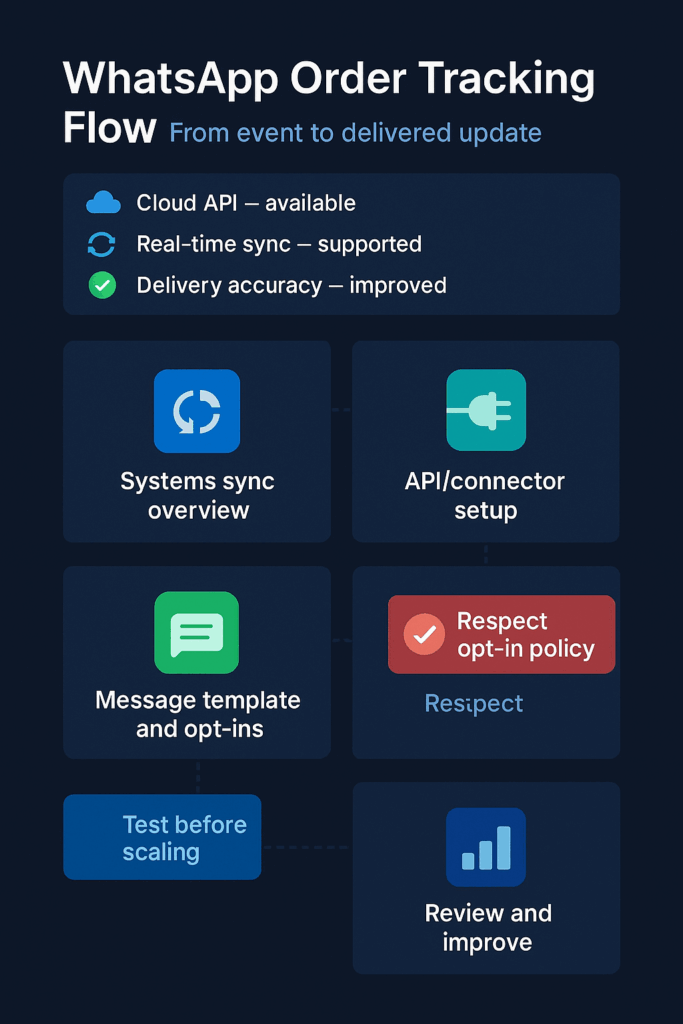
    Infographic illustrating how WhatsApp order tracking automation connects store systems to real-time customer notifications.

    With over 2 billion users globally, WhatsApp is a mission-critical business channel. Your customers are already there, waiting for you to meet them.

    The real win isn’t just fewer support tickets. It’s happier customers who feel informed throughout their buying journey. When someone gets a shipping notification with a working tracking link at 9 PM on their phone, they’re not calling your support line the next morning asking for updates.

    Your Three-Step Starter Pattern

    Don’t try to automate everything at once. Pick one message that delivers the most value with the least complexity:

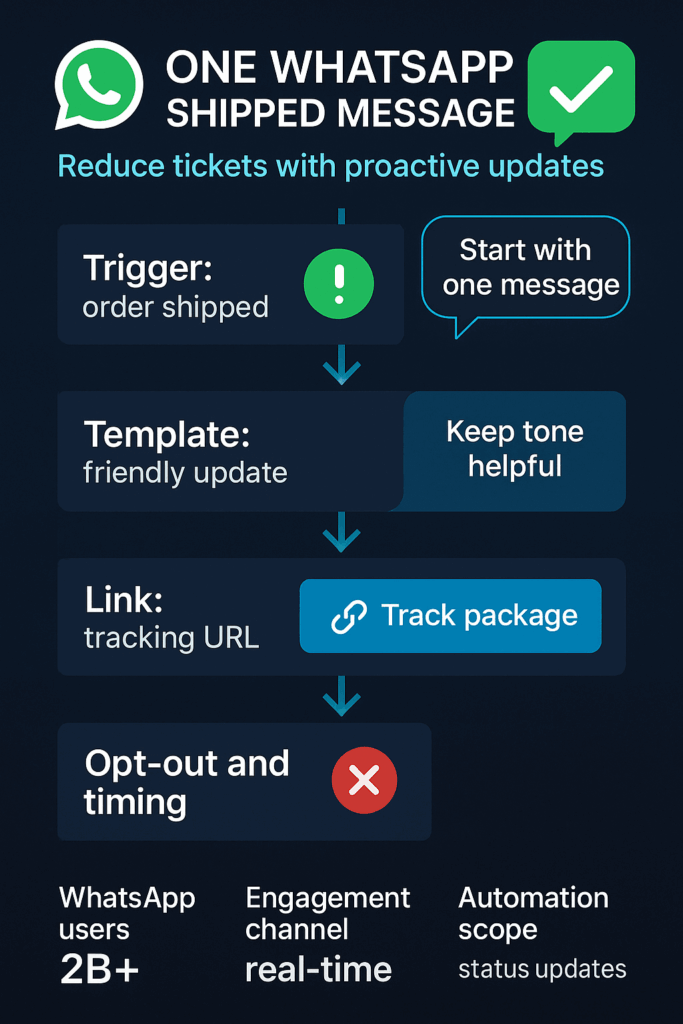
    • Start with “Order Shipped” notifications only: This single message includes the tracking link customers want most and prevents the majority of “where is my order” questions. Skip order confirmations, processing updates, and delivery confirmations for now.
    • Connect your store data to WhatsApp through an integration: Your tech team or a developer needs to link your order management system to WhatsApp’s business platform (see our step-by-step guide: how to automate WhatsApp messages). This usually takes 2-3 hours of focused work and requires API access to both systems.
    • Test with real orders before going live: Send test shipments to your own phone numbers and verify that tracking links work, timing feels right, and messages display properly on different devices. Fix any issues before your first customer sees a broken experience.
    Diagram showing a three-step WhatsApp order tracking setup — send order shipped message, connect API, and test before launch.

    The goal is proving value with minimal risk. Once this works smoothly, you can expand to other order stages.

    Watch These Key Signals

    Track simple metrics that show whether automation helps or hurts your customer experience:

    • Support ticket volume about order status: Count daily “where is my order” questions before and after launching automation. This should drop noticeably within two weeks.
    • Message delivery and read rates: WhatsApp provides delivery confirmations and read receipts. High delivery rates with low read rates might mean your message timing or content needs adjustment.
    • Customer complaints about notifications: Monitor for customers saying they received too many messages, messages at bad times, or confusing information. This signals you need to refine your approach.
    • Tracking link click-through rates: Most customers should click the tracking link in your message. Low click rates often mean the link is broken, hard to find, or not clearly labeled.
    • Opt-out requests: Some customers will ask to stop receiving WhatsApp notifications. Track this rate to ensure you’re not annoying more people than you’re helping.
    Infographic displaying key performance metrics for WhatsApp order tracking such as delivery accuracy, read rates, and opt-outs.

    These signals tell you whether customers find your automation helpful or intrusive.

    Essential Safeguards to Remember

    WhatsApp automation requires more care than email because messages feel more personal and intrusive:

    Illustration of WhatsApp order tracking safeguards including opt-in consent, accuracy checks, and message cost management.

    The Right Time Is Right Now

    Your customers already expect instant, mobile-friendly communication. Every day you wait is another day your support team answers preventable questions while competitors gain ground with better customer experience.

    The technical complexity isn’t going away, but the tools keep getting easier. WhatsApp offers businesses a channel for real-time, low-friction engagement with customers, and your competitors are figuring this out too.

    Start small, test carefully, and focus on that one shipped order message that cuts support tickets while keeping customers happy. Once order tracking runs smoothly, level up to a WhatsApp chatbot for FAQs and support automation.

    Social media preview card promoting WhatsApp order tracking automation with a clear call to start small and test updates.

    Sign up for ZendoWhisper free trial

  • WhatsApp Privacy Compliance Made Simple for Small Teams

    WhatsApp Privacy Compliance Made Simple for Small Teams

    Your team sends dozens of WhatsApp messages daily. But one missed permission or wrong template could trigger spam reports that shut down your account. There’s a simple fix that takes 10 minutes to set up and protects your business from costly compliance mistakes.

    What WhatsApp Privacy Compliance Really Means

    WhatsApp privacy compliance boils down to three core rules. First, you need permission before messaging anyone. Second, you can chat freely for 24 hours after someone messages you first. Third, after that window closes, you can only send pre-approved templates.

    Think of it like knocking on someone’s door. You need their permission to visit. Once they invite you in, you can talk normally for a while. But if you want to come back later, you need to follow specific scripts they’ve already approved.

    Why This Matters More Than You Think

    Every unproven opt-in puts your WhatsApp access at risk. When customers report your messages as spam, WhatsApp doesn’t just block individual messages. They can suspend your entire business number without warning.

    Your support team faces an even trickier situation. They might solve a customer’s problem perfectly within the 24-hour window. But if that same customer needs help two days later, your team can’t send a simple “How can I help?” message. They need a pre-approved template or they can’t respond at all.

    This creates awkward delays when customers expect instant replies. It also means missed sales opportunities when you can’t follow up on warm leads who showed interest but didn’t buy immediately.

    Infographic: collect WhatsApp opt-ins—visible checkbox, clear consent, unsubscribe link, audit trail, optional double opt-in

    Your Starting Pattern

    • Add opt-in checkboxes everywhere you collect phone numbers. Your website contact form, checkout page, and email signup forms should include a clear checkbox stating customers agree to receive WhatsApp messages. The person filling out the form must actively check this box.
    • Draft three essential message templates now. Write templates for common situations outside the 24-hour window: appointment reminders, shipping notifications, and follow-ups for past customers. Submit these for WhatsApp approval before you need them.
    • Train your team on the 24-hour rule. Hold a short meeting explaining that they can chat freely for 24 hours after a customer messages first, but must use templates after that. This prevents situations where they can’t reply to customer questions.
    Infographic: WhatsApp 24-hour rule—free replies for 24h; templates after; honor opt-outs; HIPAA not supported.

    Signals to Watch

    Track your message delivery rates weekly. Dropping delivery rates often signal compliance issues before they become account suspensions. Monitor how many customers report your messages as spam. Even a small increase should trigger a review of your opt-in process.

    Watch your template approval times. WhatsApp typically approves templates within 24 hours, but delays might indicate content issues. Count how often your team hits the 24-hour window limit. If it’s happening daily, you need more approved templates ready.

    Measure opt-in conversion rates on your forms. If fewer people are checking your WhatsApp box compared to email, your language might be too pushy or unclear.

    Three blue shield tiles showing a padlock, a checkmark, and a checklist, symbolizing security, approval, and records.

    Essential Safeguards

    Document every opt-in with timestamps and source information. According to WhatsApp’s business policy, you must respect all user requests to opt out of communications. Store this data securely since using the platform for business requires you to follow data protection laws like the GDPR.

    Review your opt-in language monthly. Make sure it clearly explains what types of messages customers will receive and how often. Vague language like “marketing updates” creates confusion and spam reports.

    Set up automated opt-out responses. When someone replies “STOP” or similar, your system should immediately remove them from all WhatsApp messaging and confirm the action.

    Hand tapping phone with green checkmark; lock-shield behind—illustrates explicit mobile consent and data security.

    The Cost of Waiting

    Every day without proper opt-ins means weaker legal protection if customers complain. Your competitors who start collecting compliant permissions now will have larger, more reliable contact lists when you’re still scrambling to fix compliance issues.

    The WhatsApp Business platform is secured with industry-standard encryption, and the Cloud API has SOC 2 certification according to WhatsApp’s trust and safety documentation. But technical security means nothing if policy violations shut down your access.
    Smart teams add that opt-in checkbox to their main contact form today. It takes minutes to implement but creates months of protection and opportunity.

    WhatsApp logo with verification checkmarks, indicating compliant messaging.

    Sign up for ZendoWhisper free trial

  • How to Automate WhatsApp Messages for Your Small Business

    How to Automate WhatsApp Messages for Your Small Business

    Your phone buzzes at 11 PM. Another customer question. You want to help, but you also need sleep. Simple WhatsApp automation can handle this for you. One small setup step can make your business look professional around the clock.

    What WhatsApp Automation Actually Means

    WhatsApp automation sends messages without you typing each one. Think of it like an email auto-reply, but for chat messages. The WhatsApp Business App is a free mobile app that helps small businesses manage customer conversations, according to Shopify. It lets you set up simple automated greeting and away messages. If you’re brand new to this, start with our primer, WhatsApp Automation 101.

    Customer messaging flow: email to chat handoff with person icon—illustrates WhatsApp automation routing

    Why This Matters for Your Business

    Customers expect quick responses. When they don’t get them, they often move to your competitors. But you can’t be glued to your phone 24/7. That creates a problem.

    Automated messages solve this gap. They tell customers you received their message and when to expect a real response. This manages expectations instead of leaving people wondering if you saw their question.

    For small business owners, this means fewer missed opportunities. For e-commerce sellers, it prevents cart abandonment from unanswered questions. Support teams can focus on complex issues instead of typing “We’ll get back to you” dozens of times.

    Infographic: simple steps to automate WhatsApp messages — install app, enable away, set schedule, test, note limits

    According to Statista, WhatsApp is the most used messaging app in the world, as noted by Brevo. Your customers are already there. Meeting them with professional automated responses shows you take their time seriously.

    How to Start Simple

    You don’t need expensive software or technical skills. Here’s how to approach your first automation:

    • Download and set up the free WhatsApp Business App. Create your business profile with your logo, address, and hours. This makes you look legitimate when customers find you. Your marketing lead should own this setup.
    • Write your first away message. Go to “Business tools” in the app settings. Write a message that tells customers when you’ll respond. Something like: “Thanks for reaching out! We’ll reply within 2 hours during business hours (9 AM – 6 PM).” Test it by having someone message you after hours.
    • Track what you can’t do with the free version. Use it for one week. Note any limitations that hurt your business. Maybe you want to send promotions to your whole customer list, or connect messages to your sales software. This list tells you when to upgrade.
    Away-message approval chip — example UI for how to automate WhatsApp messages with a simple auto-reply

    Watch These Signals

    Pay attention to these metrics to see if your automation is working:

    • Response time expectations. Are customers still complaining about slow replies? Your away message might need clearer timing.
    • Message volume after hours. If you get lots of questions outside business hours, automation becomes more valuable.
    • Repeat questions. Do customers ask the same things over and over? Those are perfect for automated answers.
    • Staff time spent on basic replies. How much time does your team spend typing “We received your message”? Automation can reclaim those minutes.
    • Customer satisfaction with response speed. Are people happy with how fast you get back to them? Automation can improve this score.
    Infographic: WhatsApp Business app vs API — broadcast cap 256, chatbots, CRM integration, upgrade when you scale

    Important Safeguards

    Keep these protections in mind:

    • Get permission before promotional messages. You must get your customers’ permission before sending them promotional messages on WhatsApp to follow the platform’s rules. Don’t assume they want marketing just because they bought from you.
    • Keep messages helpful, not pushy. Automated replies should solve problems or set expectations. Avoid sales pitches in your away messages.
    • Review and update regularly. Check your automated messages monthly. Update business hours, response times, or contact info as needed.
    Security shield with lock — consent, compliance and safety for WhatsApp automation messages

    Know Your Growth Path

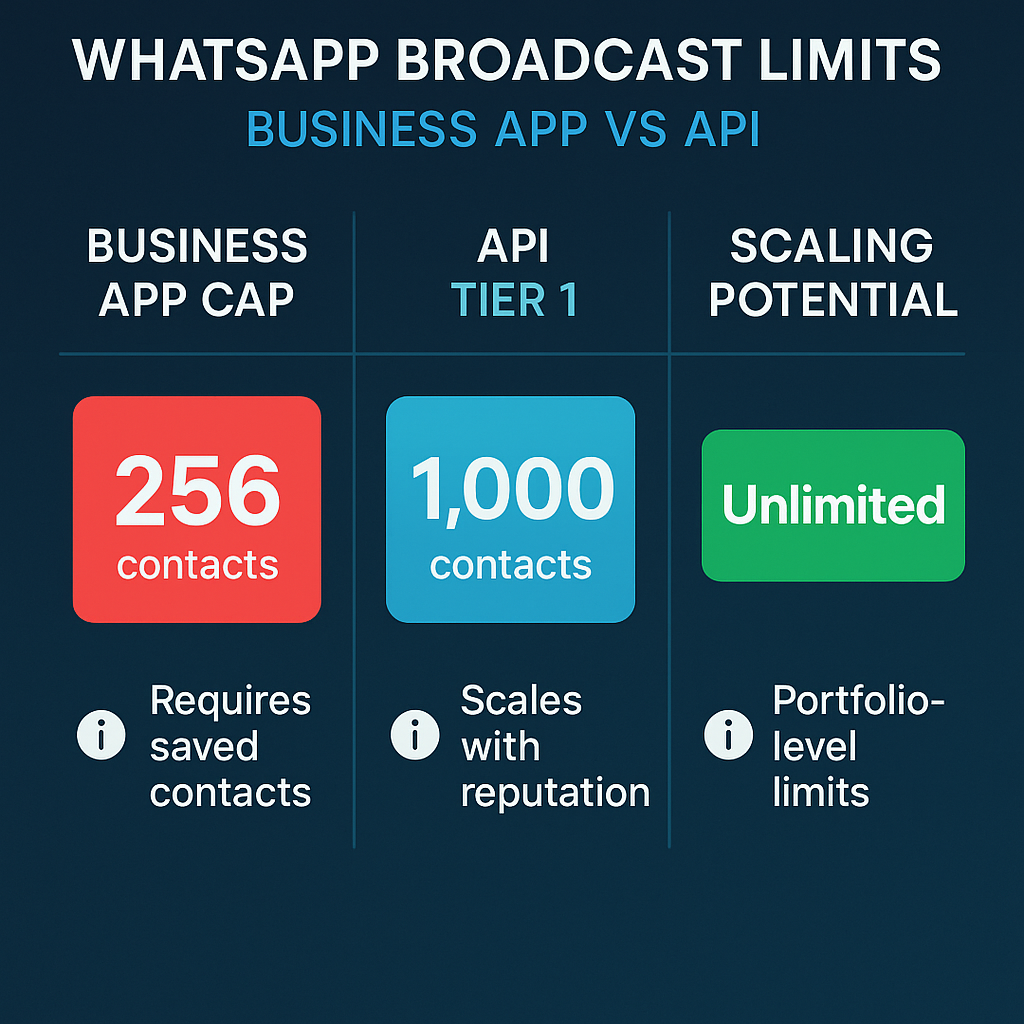
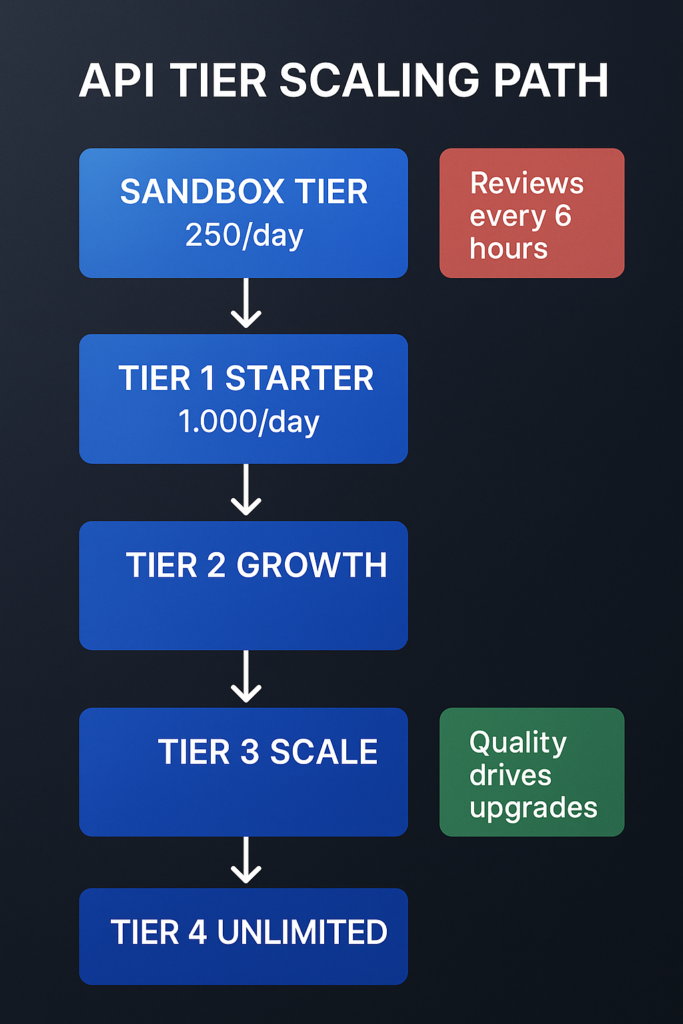
    The free WhatsApp Business App has limits. It works for one user on one phone and has a broadcast limit of 256 users, plus it does not support chatbot or CRM integration, according to aisensy.com. When you hit these walls, you’ll need the WhatsApp Business API. For a quick refresher on the basics and when to upgrade, see WhatsApp Automation 101.

    The API is designed for mid-sized and large businesses to automate support, notifications, and marketing at scale, according to linkmobility.com. It allows multiple staff members to log in and use chatbots that can provide 24/7 instant support, as noted by engagelab.com.

    But start simple. Most small businesses can run for months on just the free app’s basic automation.
    Why This Can’t Wait

    Every day without automation, you’re losing potential customers to businesses that respond faster. Your competitors might already be using automated replies to look more professional and available.
    The setup takes less time than you think. Your first away message can be running in five minutes. That small step immediately makes your business look more organized and customer-focused.

    Start with the free WhatsApp Business App today. Set up one automated message. See how it changes your customer interactions. You can always build from there.

    How to automate WhatsApp messages — person, chat bubble and clock in a continuous automation loop

    Sign up for ZendoWhisper free trial