

Your WhatsApp broadcasts aren’t reaching everyone on your list. The platform has strict limits that vary wildly based on which version you use. Know these rules now or watch your customer reach shrink when you need it most.
What WhatsApp Message Broadcasting Limitations Are
WhatsApp message broadcasting limitations are daily caps on how many customers you can message. The rules depend on whether you use the Business App or Business API. These aren’t suggestions—they’re hard stops that block your messages once you hit them.
Why These Limits Matter for Your Marketing
The wrong platform choice can kill your growth plans. If you’re unsure whether the Business App or API is right for scaling, this guide breaks it down clearly: WhatsApp Business API: Features, Limits, and Scaling Explained.
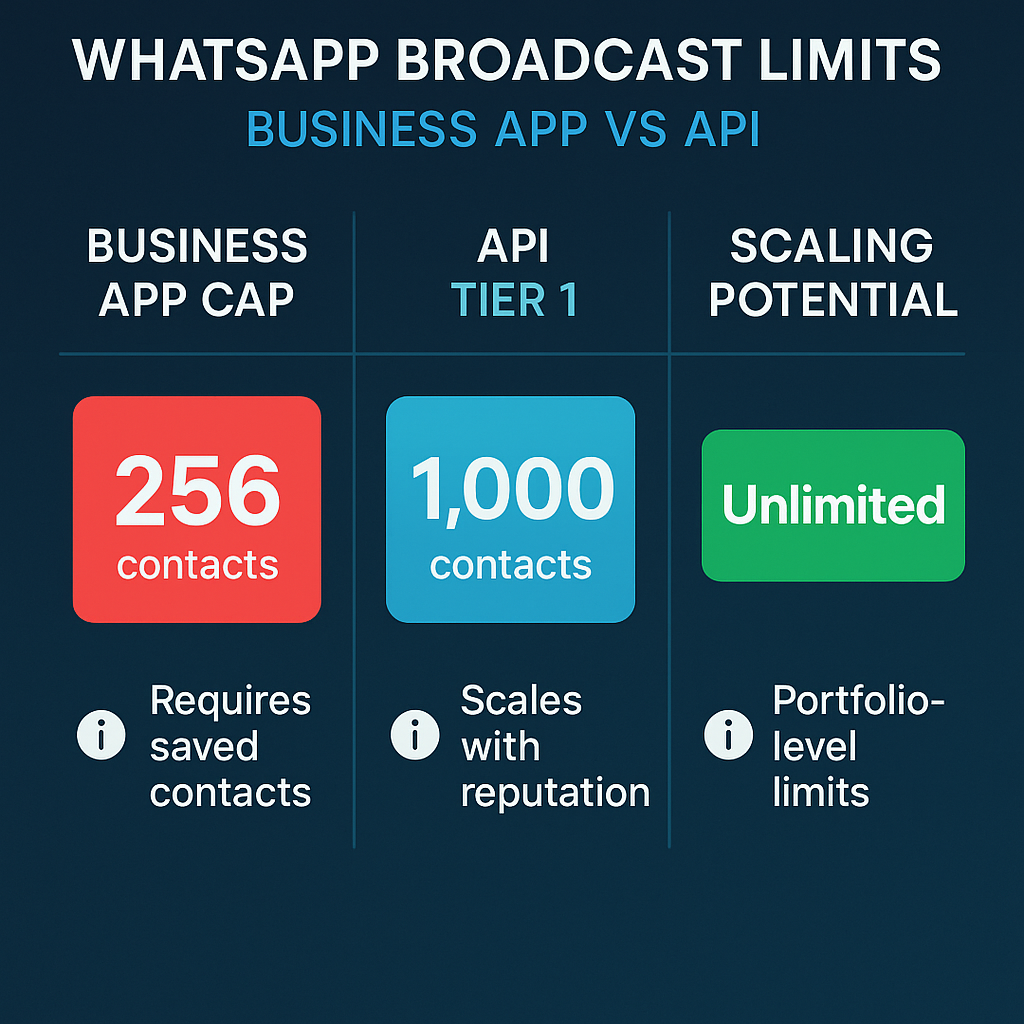
WhatsApp Business App users can broadcast to only 256 contacts at a time, and recipients must have saved the sender’s number. That means if you have 1,000 customers but only 200 saved your number, your broadcast reaches just those 200.
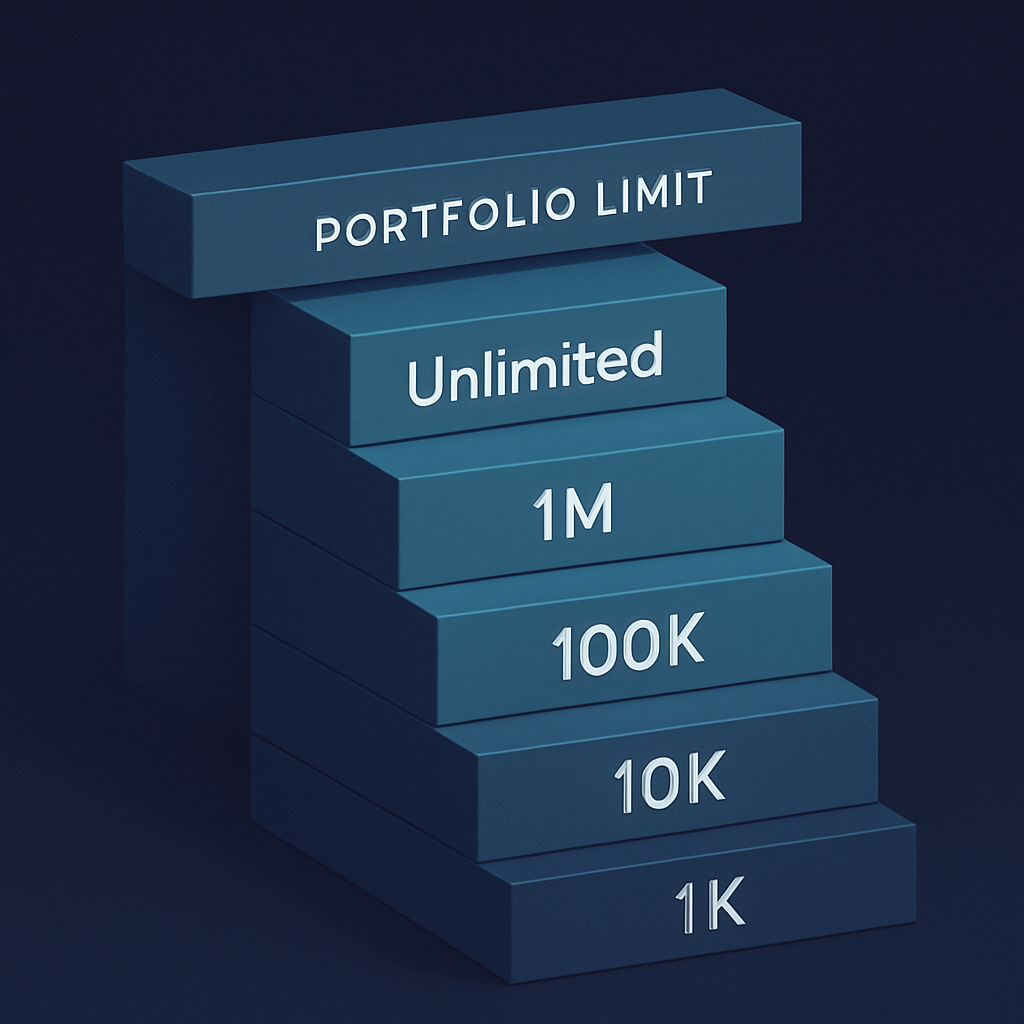
The API tells a different story. The WhatsApp Business API uses a tier-based system starting at 1,000 daily unique contacts, scaling up to unlimited messaging depending on business reputation. But here’s the catch: as of October 7, 2025, WhatsApp applies messaging limits across the entire business portfolio instead of per phone number.
This change means adding more phone numbers won’t expand your reach. Your whole business shares one daily allowance.
How to Navigate WhatsApp Broadcasting Limits
Audit your current setup first. Check if you use the Business App or API. Write down your daily message limit. The App gives you 256 contacts per broadcast list. The API starts at 1,000 daily contacts for Tier 1, with higher tiers reaching 10,000, 100,000, or unlimited based on your reputation. If you’re planning to upgrade or already using the API, understanding how WhatsApp Business API works end-to-end is critical: Mastering WhatsApp Business API for Scalable Messaging.
Clean your contact lists ruthlessly. Remove contacts who haven’t saved your number if you use the App. For API users, remove contacts who haven’t engaged in 90 days. Quality beats quantity when WhatsApp judges your messaging reputation.
Track your engagement weekly. Monitor block rates, reply rates, and delivery rates. Poor performance shrinks your daily allowance. Good engagement opens the door to higher tiers with more reach.

Metrics That Signal Broadcasting Health
Watch your delivery rate closely. If messages aren’t reaching contacts, check if they saved your number (App users) or if you’ve hit your daily limit.
Monitor your block rate every week. High blocks tell WhatsApp your messages aren’t welcome. This can lower your daily allowance or keep you stuck in lower API tiers.
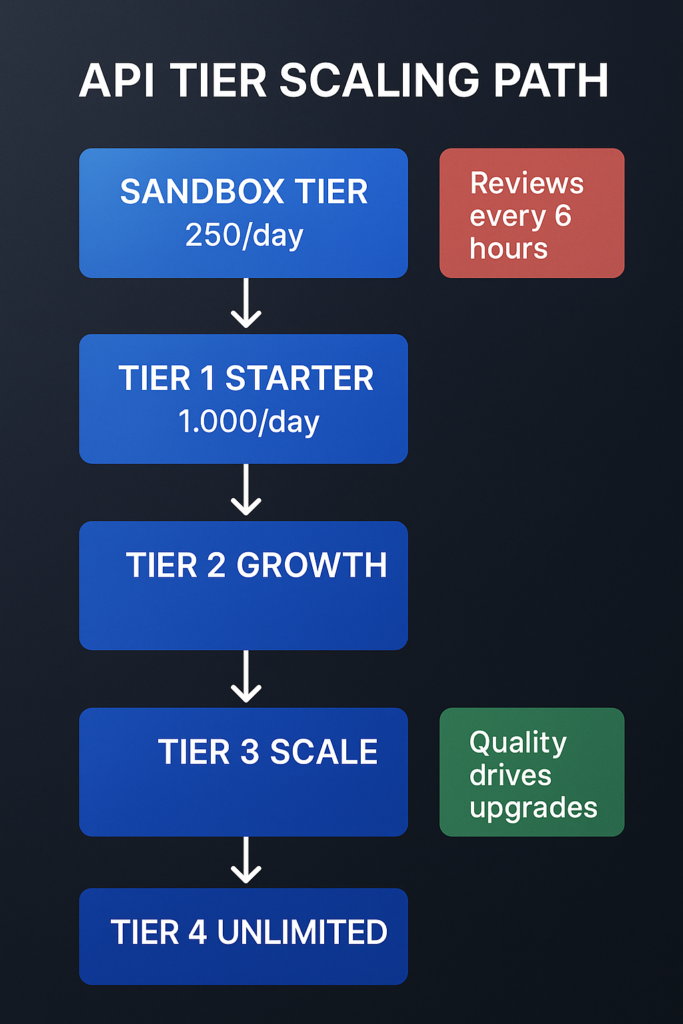
Track reply rates as a quality signal. The first tier increase starts from 2,000 outgoing messages per day, and limit reviews occur every 6 hours. Engaged customers help you climb faster.
Check your messaging tier monthly if you use the API. Messaging limits for WhatsApp Business API are tiered: Sandbox at 250 unique customers per 24 hours, Tier 1 at 1,000, Tier 2 at 10,000, Tier 3 at 100,000, and Tier 4 offers unlimited conversations with good reputation.
Watch for verification opportunities. Verified businesses start with higher template limits, giving you more room to grow from day one.
Safeguards to Protect Your Broadcasting Rights
Never buy contact lists or send to random numbers. WhatsApp tracks unsolicited messages and punishes senders with lower limits or account restrictions.
Test your broadcasts with small groups first. Send to 50-100 engaged contacts before rolling out to your full list. This helps you spot problems before they hurt your reputation.
Keep your messaging relevant and valuable. Generic promotions get blocked. Personal, helpful messages get replies. WhatsApp rewards engagement with higher limits.

The Cost of Waiting
Your competitors who understand these limits are already optimizing their WhatsApp strategy. They’re building engaged contact lists, climbing API tiers, and reaching more customers each month.
New business portfolios start with a 250-message limit, which can be increased through a scaling path to 2,000, then 10,000 and beyond. But this growth requires consistent quality messaging and customer engagement.
Every poor broadcast you send now makes climbing harder later. Every month you stay on the Business App instead of upgrading to the API is a month of capped growth at 256 contacts.
Start by checking your current WhatsApp setup and daily limits. Your broadcasting reach depends on understanding these rules and playing by them. The businesses that scale their WhatsApp messaging are the ones that respect the platform’s limits while optimizing within them.
FAQs
Business App: 256 contacts max, only saved contacts. API: Starts at 1,000, scales to unlimited based on engagement and reputation.
Leave a Reply